INSTALLING INVISIBLE LOUDSPEAKERS

Choose your product and installation type.

YOUR INSTALLATION

INSTALLATION TYPES AT A GLANCE

Read the complete installation guidance by topic, including without selecting a product. For a sequence tailored to your loudspeaker, choose your product and construction above. Check dimensions and accessories against the relevant installation drawing.

PRODUCTS AND BASIC GUIDELINES

Secure the prepared installation frame (backbox) reliably to the load-bearing structure using the specified accessories or suitable reinforcing battens, and align it with the final surface plane. Leave the blanking plate fitted during subsequent building work. Remove it only when the tested loudspeaker can be installed; then clean the interior and support surfaces again.

Optional: cerasonar placeholder for early plasterboard preparation

The model-compatible cerasonar placeholder allows the loudspeaker position to be prepared during plasterboard construction. The loudspeaker itself can be installed later.

  1. Prepare early. Establish the position, required opening and support surfaces to the model specifications. Fit the appropriate cerasonar placeholder and secure the loudspeaker cable where it remains accessible.
  2. Replace later. Before installing the loudspeaker, remove the cerasonar placeholder. Continue with step 09: installing loudspeakers and subwoofers, then choose the section for your model.

cerasonar placeholder

MODELS, INSTALLATION FRAMES AND ACCESSORIES

Select accessories for the model and construction method. This table shows the matching components; check dimensions, fixing details and supplied parts against the current installation drawing.

Loudspeaker / subwooferMatching installation frame (backbox)Additional mounting accessoriesModel page / installation drawing
Loudspeaker / subwoofercerasonar 1520 fit Matching installation frame (backbox)installation frame (backbox) 1520 Additional mounting accessoriesWith the matching CNC-machined installation plate; follow the fit sequence. Model page / installation drawingModel and drawing
Loudspeaker / subwoofercerasonar 1520 fit – 100V Matching installation frame (backbox)installation frame (backbox) 1520 Additional mounting accessoriesWith the matching CNC-machined installation plate; follow the fit sequence. Model page / installation drawingModel and drawing
Loudspeaker / subwoofercerasonar 2525 fit Matching installation frame (backbox)installation frame (backbox) 2525 Additional mounting accessoriesWith the matching CNC-machined installation plate; follow the fit sequence. Model page / installation drawingModel and drawing
Loudspeaker / subwoofercerasonar 4062 reference Matching installation frame (backbox)installation frame (backbox) 4062 Additional mounting accessoriesFollow the shared panel sequence; select ceiling mounting kits for the construction and enclosure. Model page / installation drawingModel and drawing
Loudspeaker / subwoofercerasonar 4062 reference pro Matching installation frame (backbox)installation frame (backbox) 4062 Additional mounting accessoriesFollow the shared panel sequence; select ceiling mounting kits for the construction and enclosure.
For wood/veneer: prepared version without standard primer, panel mount kit and pocket mount double-sided tape.
Model page / installation drawingModel and drawing
Loudspeaker / subwoofercerasonar 6280 reference pro Matching installation frame (backbox)installation frame (backbox) 6280 Additional mounting accessoriesFollow the shared panel sequence; select ceiling mounting kits for the construction and enclosure.
For wood/veneer: prepared version without standard primer, panel mount kit and pocket mount double-sided tape.
Model page / installation drawingModel and drawing
Loudspeaker / subwoofercerasonar 12030 reference pro Matching installation frame (backbox)installation frame (backbox) 12030 Additional mounting accessoriesFollow the shared panel sequence; select ceiling mounting kits for the construction and enclosure.
For wood/veneer: prepared version without standard primer, panel mount kit and pocket mount double-sided tape.
Model page / installation drawingModel and drawing
Loudspeaker / subwoofercerasonar 4080 ultimate Matching installation frame (backbox)installation frame (backbox) 4080 Additional mounting accessoriesFollow the shared panel sequence; select ceiling mounting kits for the construction and enclosure. Model page / installation drawingModel and drawing
Loudspeaker / subwoofercerasonar 4062 architect v2 Matching installation frame (backbox)installation frame (backbox) 4062 architect Additional mounting accessoriesShallow plasterboard version; follow the shared panel sequence. Model page / installation drawingModel and drawing
Loudspeaker / subwoofercerasonar 4080 sub Matching installation frame (backbox)installation frame (backbox) 4080 Additional mounting accessoriesFollow the shared panel sequence; select ceiling mounting kits for the construction and enclosure. Model page / installation drawingModel and drawing
Loudspeaker / subwoofercerasonar 6280 sub Matching installation frame (backbox)installation frame (backbox) 6280 Additional mounting accessoriesFollow the shared panel sequence; select ceiling mounting kits for the construction and enclosure. Model page / installation drawingModel and drawing
Loudspeaker / subwoofercerasonar 62200 sub Matching installation frame (backbox)installation frame (backbox) 62200
Agree the model-specific version with cerasonar.
Additional mounting accessoriesAgree the model-specific version with cerasonar. Model page / installation drawingModel and drawing
Loudspeaker / subwoofercerasonar architect sub Matching installation frame (backbox)Self-contained enclosure; no additional installation frame (backbox). Additional mounting accessoriesFlexible duct, duct clamps and matching sound outlet; fixing suitable for the installation location. Model page / installation drawingModel and drawing
BUILDING STRUCTURE

01CHECK THE BUILDING STRUCTURE FIRST

Before installation, check the wall or ceiling construction, available installation depth, cable routes and planned surface finish. Allow space for the loudspeaker and connections; if using an installation frame (backbox), also allow for its dimensions and accessories. Installation dimensions and fixing points depend on the model.

The structure must be load-bearing, dry and level. Remove loose parts and material debris. Plan the intended listening level and bass reproduction early: the more strongly the system excites the structure, the more carefully connections and fittings need to be installed.

CLEAN THE INSTALLATION AREA AND CAVITY

Before inserting the panel, check the mounting area and accessible cavity for debris; if using an installation frame (backbox), also clean its interior. Remove loose screws, metal shavings, board offcuts and other construction debris completely. Any items left behind can be excited by sound reproduction and cause vibration or rattling noises.

Use the System Builder for loudspeaker selection and system configuration. This guide focuses on installation.

CHECK LOUDSPEAKERS BEFORE INSTALLATION

Before installation, inspect every loudspeaker and subwoofer for transport or other damage, including terminals, exciters and rear technical components. Carry out a short functional test at low volume with the appropriate amplifier and protection configuration. Resolve damage or unusual noises before installation. A further test after fixing remains necessary.

Wall or ceiling before installation: supporting structure, cavity and loudspeaker position
METAL & FITTINGS

02METAL SUPPORTING STRUCTURES: RECOMMENDATIONS TO PREVENT RATTLING

A properly constructed metal supporting structure is suitable for cerasonar installations. Stable lining and reliable mechanical fixings provide the foundation. We recommend the following additional measures to help prevent subsequent rattling at profiles, lights and other fittings.

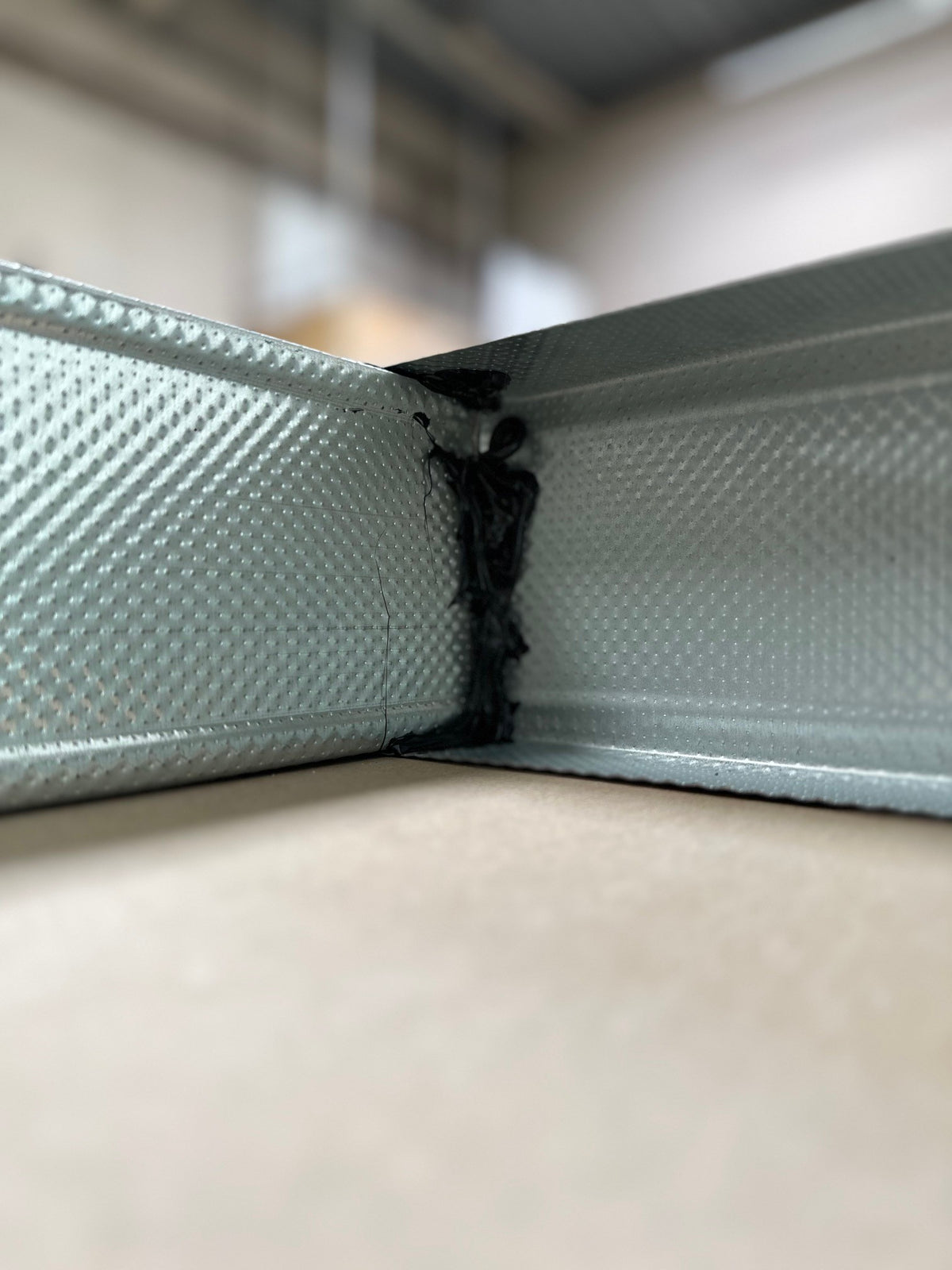
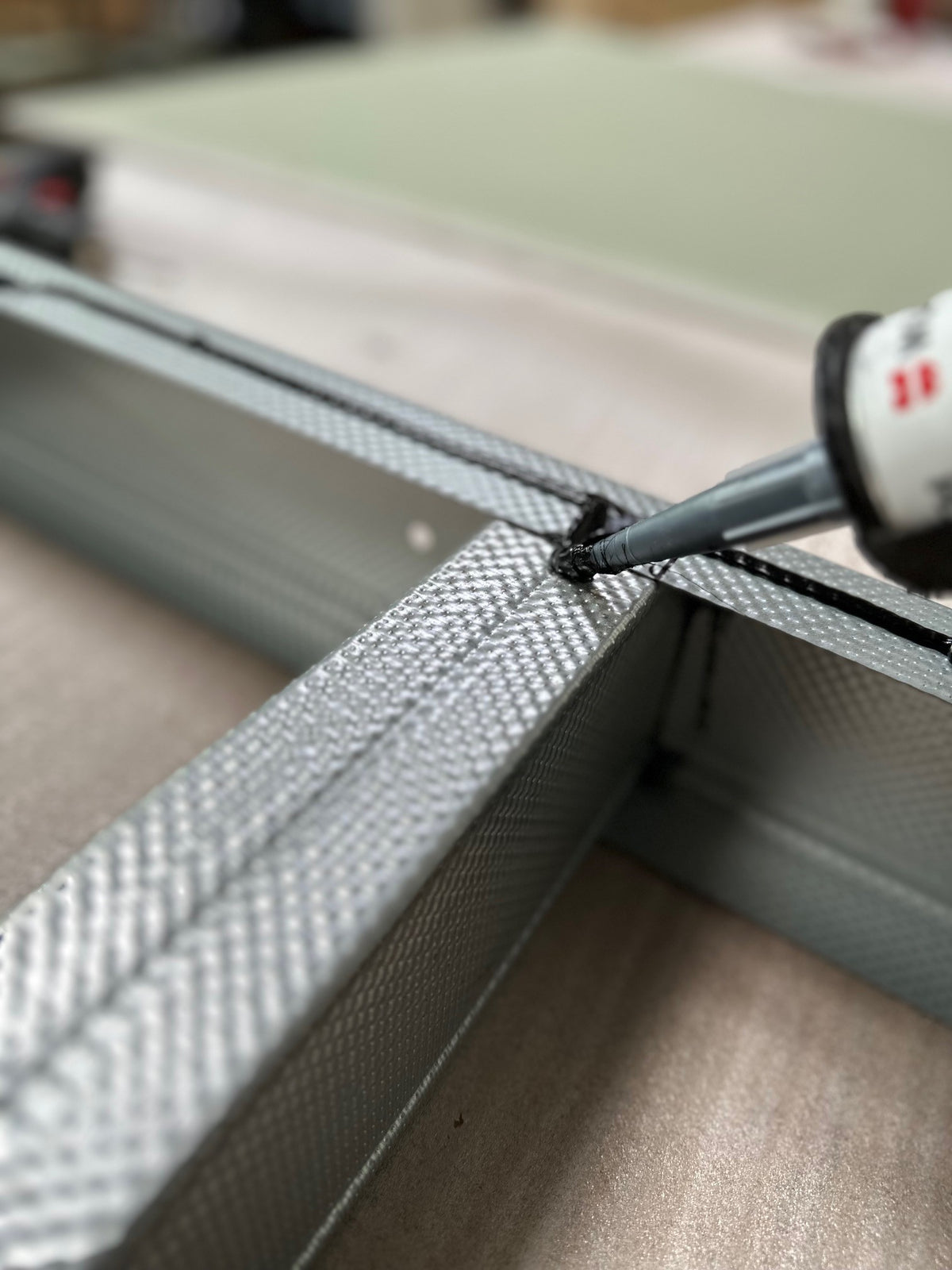
We recommend additionally treating contact points between metal profiles, connectors and hangers with a suitable flexible adhesive and sealant, such as Würth Klebt + Dichtet. This helps prevent vibration-induced rattling, particularly with powerful cerasonar models, high listening levels and strong bass reproduction. The treatment supplements the required mechanical fixings. Follow the adhesive’s substrate preparation, application and curing instructions and the requirements of the plasterboard construction system.

RECOMMENDED TREATMENT OF CONTACT POINTS

When applying the additional treatment, we recommend considering profile joints, intersections, connectors, hangers and other metal contact points. Connections beyond the immediate loudspeaker area can also be excited by sound reproduction. Careful workmanship helps avoid subsequent remedial work; the benefit of these additional measures depends on the construction and the intended listening levels.

LED DOWNLIGHTS AND OTHER COMPONENTS

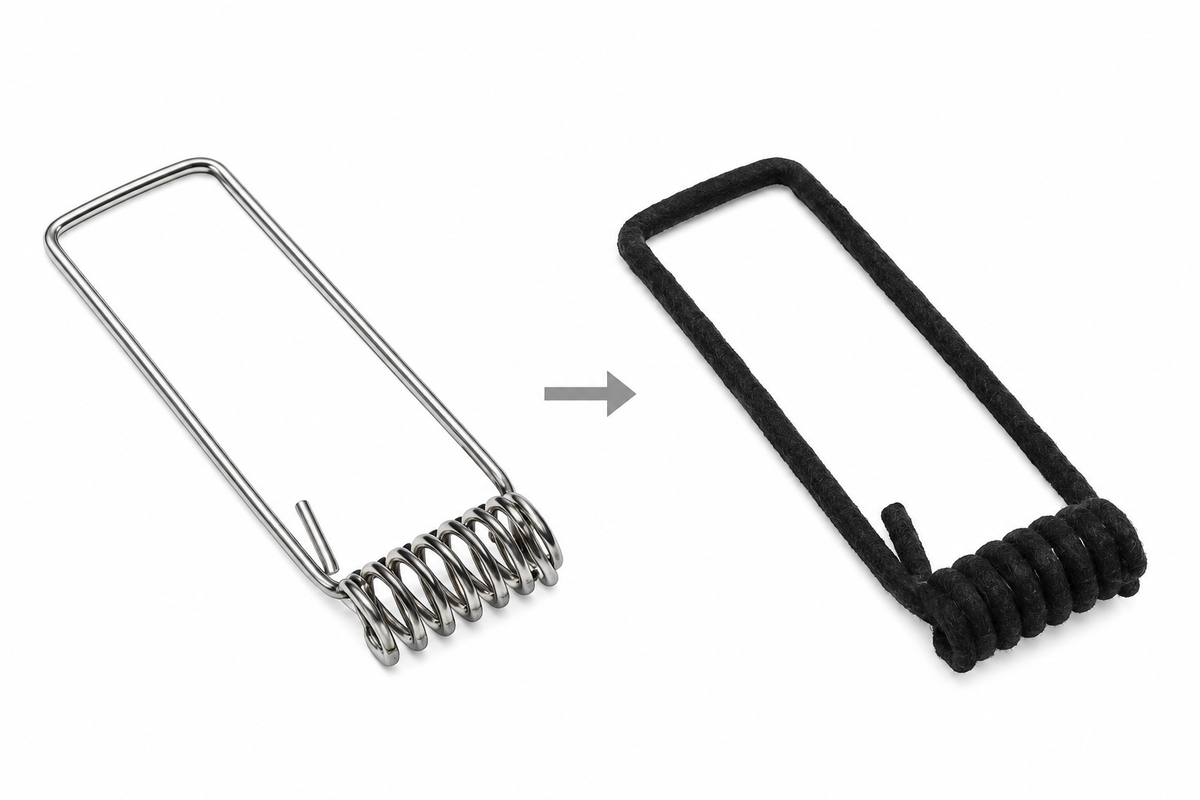
An LED downlight can also rattle, for example at its retaining spring or a spring contact point. Where appropriate, a suitable contact point can be secured with compatible damping tape. The spring must retain its holding function, and the light's cooling and electrical operation must remain effective.

Check access panels, ventilation components and loose cables as well. A rattle near a loudspeaker may come from a neighbouring component. Always locate the actual source.

SECURE CABLES AND SERVICES SEPARATELY

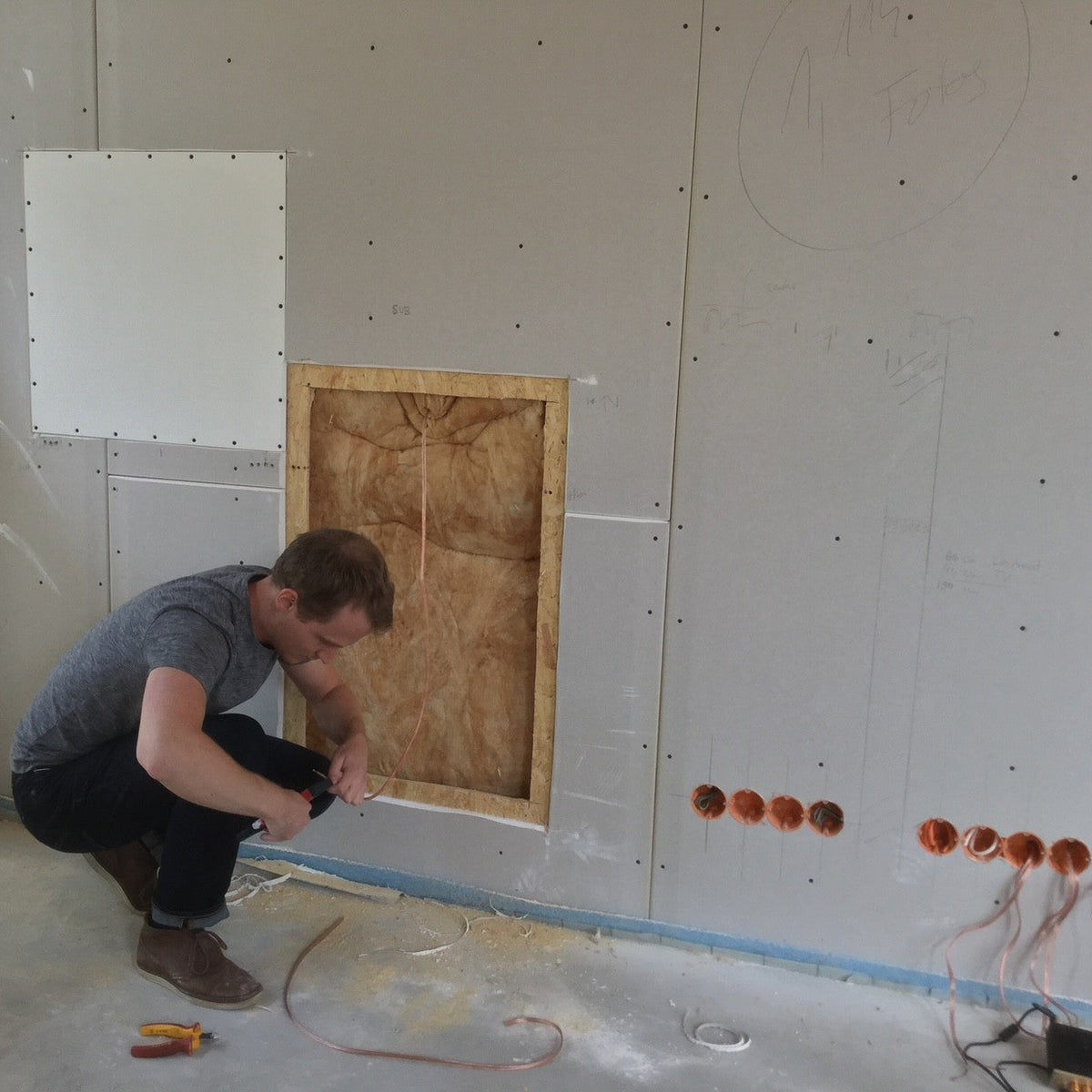
Loudspeaker cables, power cables, air-conditioning lines, pipes and other building services must not rest on the plasterboard within the ceiling cavity. Secure them separately with suitable fixings and route them clear of the lining. Cables or services resting on the boards, or left loose, can be excited by sound reproduction and cause resonances or rattling noises. Also avoid contact with moving loudspeaker parts.

Recommended additional treatment: metal profile contact point before applying adhesive
Recommended additional treatment: flexible adhesive and sealant between metal contact surfaces
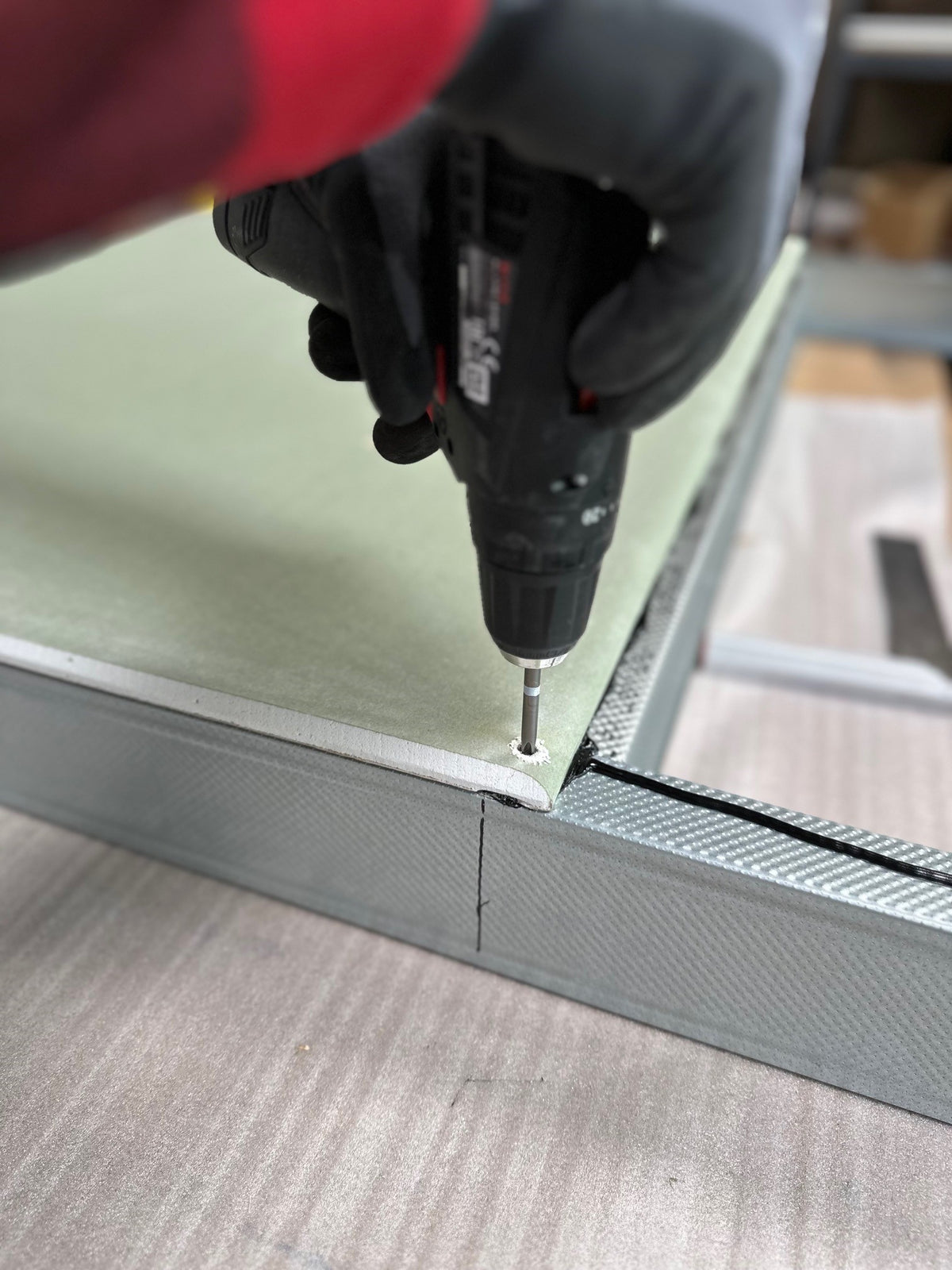
Profile joint with mechanical fixing and recommended additional adhesive treatment
Recommended additional treatment at intersections, connectors or hangers
LED downlight: retaining spring and suitable contact point for optional damping tape treatment

TIMBER CONSTRUCTION FOR HIGH OUTPUT AND STRONG BASS

Where possible, we recommend a KVH solid structural timber framework with a first, bonded layer of 18–22 mm OSB, followed by plasterboard. This rigid, multi-layer construction provides a stable mounting foundation, similar to a carefully built loudspeaker enclosure. It reduces potential rattling points and unwanted movement of larger board surfaces, which could otherwise be excited like an additional passive diaphragm.

We particularly recommend this timber construction for the 6280 reference pro and 6280 sub. A carefully built metal structure is a suitable option for the fit series and 4062 reference. The 4080 ultimate and 4080 sub can also be installed in metal structures; for these models, we already favour timber, particularly for high listening levels and strong bass reproduction. For the 30 mm shallow installation of the 4062 architect, use its specified drywall configuration.

STRUCTURE-BORNE SOUND & SOUND INSULATION

03DISTINGUISH RATTLES, STRUCTURE-BORNE SOUND AND REAR SOUND

Rattles can originate from loose connections or components and are addressed through careful installation. Structure-borne sound travels through solid connections into the building structure. Rear airborne sound radiates into the cavity behind the loudspeaker. These three cases require different measures.

The installation frame (backbox) and suitable cavity insulation can influence rear sound radiation. They do not replace structural decoupling against structure-borne sound and do not guarantee complete sound isolation from neighbouring rooms.

The cerasonar anti vibration kit can be used to reduce structure-borne sound transmission where it is compatible with the installation. An effective overall solution requires the rest of the construction to be appropriately decoupled too. The kit alone cannot compensate for remaining vibration bridges. Agree compatibility and installation details with cerasonar for the project.

IMAGE PLACEHOLDER: installation frame (backbox) and cavity insulation as measures for rear airborne sound
installation frame (backbox) and cavity insulation as measures for rear airborne sound
IMAGE PLACEHOLDER: cerasonar anti vibration kit in a suitable, consistently decoupled construction
cerasonar anti vibration kit in a suitable, consistently decoupled construction
PREPARE PLASTERBOARD

04PREPARE PLASTERBOARD WITH OR WITHOUT AN installation frame (backbox)

First prepare the opening and load-bearing structure for the selected model. Where using an installation frame (backbox), prepare and securely fix it first. The model-specific loudspeaker fixing follows in step 09.

cerasonar fit: prepare the opening using the template

For cerasonar fit, use the matching template and the model-specific plasterboard thickness. Make the four 4 mm fixing holes and the opening according to the template. Smooth the cut edges and chamfer the plasterboard edges as instructed. The bearing surfaces and 5 mm joint described below apply to reference, reference pro, ultimate, 4062 architect v2 and the listed sub models; fit uses its template and installation drawing.

The following opening preparation applies to reference, reference pro, ultimate, 4062 architect v2 and the listed flat sub models.

PREPARE THE OPENING AND SUPPORT SURFACES

Have the load capacity of the wall or plasterboard ceiling and its supporting structure professionally checked before installation. Make the opening to the model’s specifications and provide stable, flat support surfaces at every specified fixing point. Where necessary, add reinforcing battens securely connected to the supporting structure. The panel must have full support and allow flush alignment.

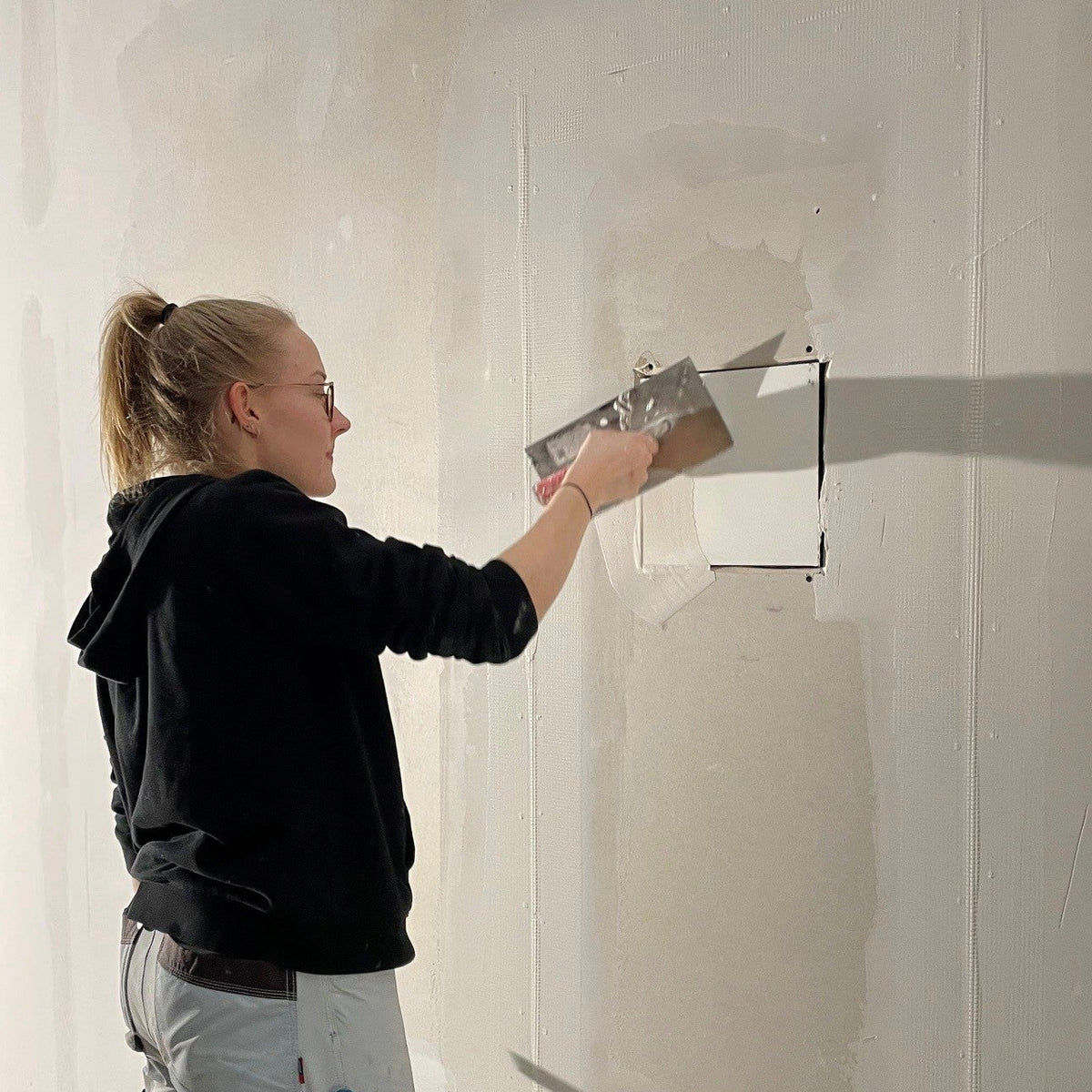
Leave an approximately 5 mm joint around the entire perimeter between the loudspeaker or subwoofer panel and the adjacent plasterboard. During subsequent finishing, fill this joint completely, without voids, using a suitable polymer-modified filler.

Direct plasterboard installation without an installation frame (backbox): stable, flat support surfaces at all specified fixing points
Install with an installation frame (backbox)

INSTALL BEFORE THE OSB BOARDING

Install the installation frame (backbox) on the structural timber studs before fitting the OSB layer. The enclosure cannot pass through the later opening made to its clear internal dimensions.

PREPARE THE ENCLOSURE AND CABLE ROUTE

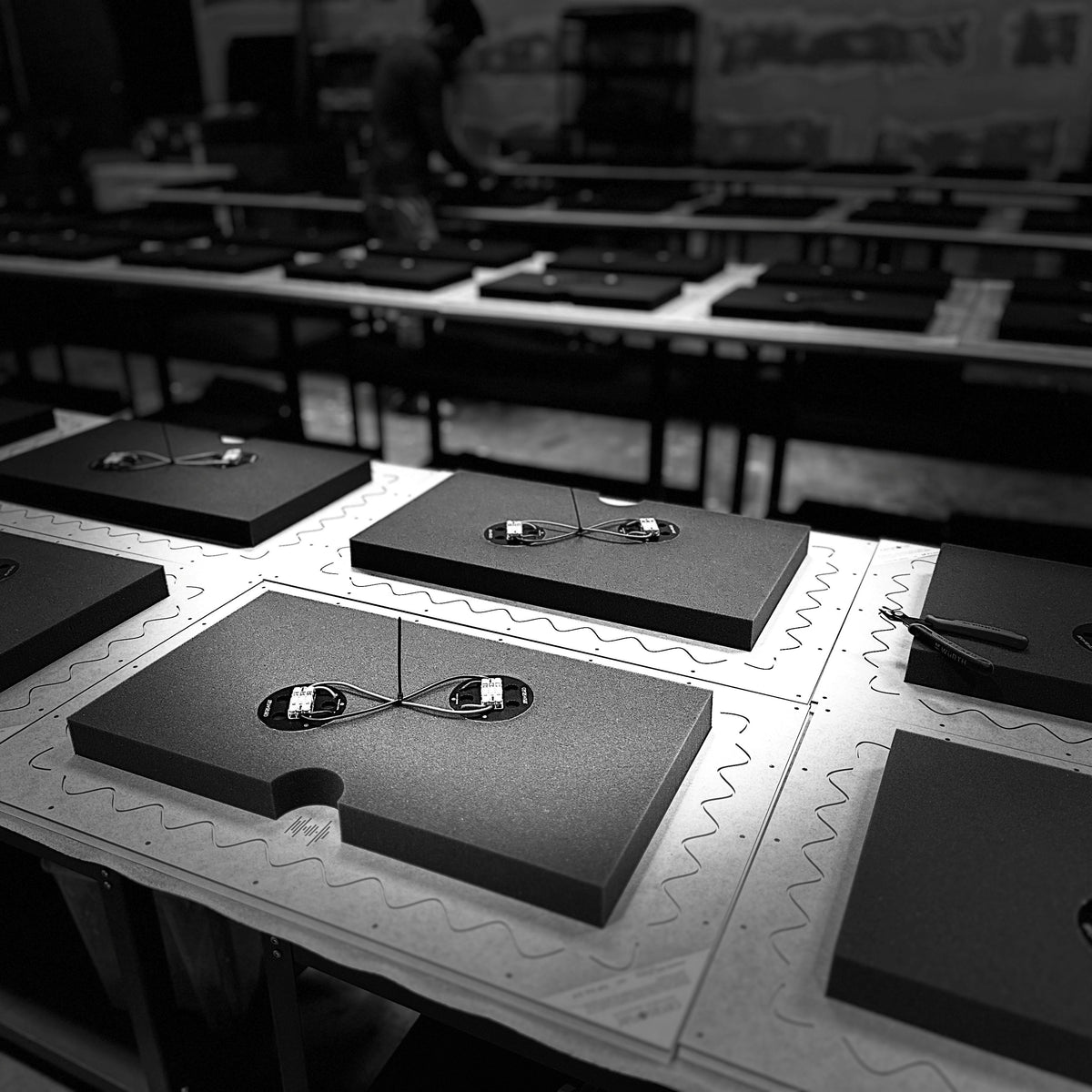
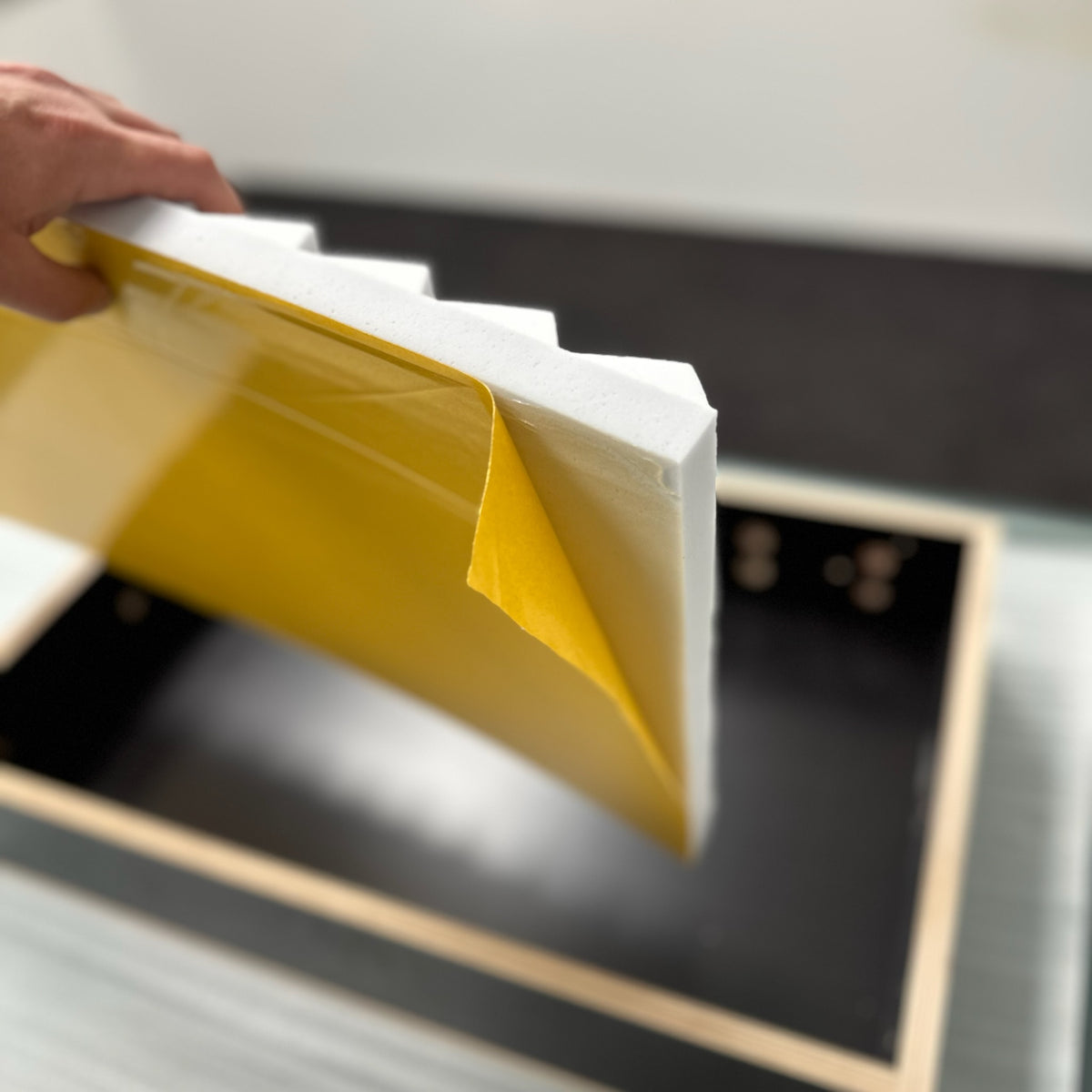
Use the installation frame (backbox) matching the loudspeaker model. Prepare the cable gland and required mounting parts. Glue the supplied, pre-cut Basotect damping to the rear only: remove the release liner and press firmly into place. Route the cable within the wall to the AV/network cabinet and secure it accessibly for later connection.

  1. Mount the installation frame (backbox). Fix the enclosure securely to the structural timber studs. Align its front with the rear face of the planned OSB layer; allow for both OSB and plasterboard when setting the final loudspeaker panel position.
  2. Fix the OSB layer. Screw the OSB board to the installation frame (backbox), ideally also to the structural timber studs. The blanking plate is not needed at this stage.
  3. Cut the OSB opening. Make the opening to the clear internal dimensions of the installation frame (backbox). Do not use the enclosure’s external dimensions. Protect the enclosure and cable from damage while cutting.
  4. Fix the blanking plate as a temporary placeholder. Temporarily fix the blanking plate over the opening on the OSB layer. It reserves the loudspeaker position and provides an edge for fitting the plasterboard.
  5. Fit the plasterboard layer. Fit the plasterboard around the blanking plate. With 12.5 mm plasterboard, both surfaces are flush. The plasterboard work can therefore be completed before the loudspeaker is installed.
  6. Install the loudspeaker later. Remove the blanking plate when ready to install the loudspeaker. Continue with step 09: installing loudspeakers and subwoofers.

LOAD CAPACITY AND SCREW PENETRATION

The load capacity of the plasterboard ceiling and its supporting structure must be professionally assessed before installation. Where necessary, additional reinforcing battens must be connected to both the supporting structure and the installation frame (backbox).

The illustrated wall also has OSB as the first rear layer, followed by plasterboard. Leave a small clear gap between the enclosure rear and the rear wall. Avoid direct contact; if no clearance is possible, use felt tape or a suitable damping layer at the contact point. The OBO cable entry is on the side; provide a suitable through-hole in the structural timber for fitting and cable routing.

For wood screws in the installation frame (backbox), limit actual penetration into the 18 mm phenolic-faced plywood to 15–16 mm maximum; do not pierce it. Specified through-bolt connections in a mounting kit follow that kit’s instructions. This differs from recessing screw heads 1–2 mm into the loudspeaker panel.

For cerasonar fit, the installation frame (backbox) uses the matching CNC-machined installation plate with the model-specific opening. The blanking plate is only for preparation and is not a fit installation plate. After preparation and removal of the blanking plate, fit the matching installation plate; then continue with step 09, cerasonar fit.

PLASTERBOARD INSTALLATION · WALL WITH OSB PLASTERBOARD INSTALLATION · WALL WITH OSBVERTICAL SECTION · PREPARED INSTALLATION POSITION1233456789101Structural timber studs (KVH)2installation frame (backbox)3OSB layer, shown as 20 mm4Plasterboard layer, 12.5 mm5Blanking plate, 12.5 mm - temporaryplaceholder for the loudspeaker6Basotect pyramid foam7OSB screwed to the enclosure andadditionally to the timber studs8Loudspeaker cable with side-mounted OBOcable gland and hole through the timberstud9Rear plasterboard layer10Clearance from the rear wall - avoid directcontact or use felt tape for dampingSchematic cross-section, proportions based on the installation frame (backbox) 4062; pyramid patternsimplified. OSB on both sides shown as 20 mm, blanking plate and plasterboard each 12.5 mm. Agree layerthicknesses and fixings for the project. The blanking plate is temporarily fixed over the OSB layer;install the enclosure before boarding. Route the loudspeaker cable within the wall to the AV/networkcabinet. The enclosure’s rear panel must not touch the rear wall directly: contact can cause rattling andresonances. If a free gap cannot be provided, fit felt or a comparable soft separating layer at the rearcontact points. The side hole through the timber stud must provide space for fitting the OBO cable glandand passing the cable through.Fix the OSB layers with their own screws. Then fix the plasterboard layers with separate screws through the OSB into the structural timber.Stagger the fixing positions and select screw lengths to suit the build-up and cable hole.
PLASTERBOARD INSTALLATION · WALL WITH OSB
Bond the supplied Basotect insulation after preparation: remove the release liner and press firmly; the loudspeaker must then fit without pressure
Ceiling installation with installation frame (backbox)

CEILING WITH drywall ceiling kit

  1. First attach the two long battens of the drywall ceiling kit to the installation frame (backbox). Leave the two short battens off initially. Prepare the cable route and OBO cable entry.
  2. Build the metal framing and fit the plasterboard layer. Prepare the opening for the future speaker according to the installation drawing.
  3. Carefully insert the installation frame (backbox) through the prepared opening into the ceiling void. Then fit the two short battens and complete the OBO cable entry.
  4. Align the enclosure and screw through the plasterboard from the room side into the drywall ceiling kit battens. Use the specified kit connections.
  5. Fit the 12.5 mm blanking plate as a temporary placeholder. Remove it only when installing the speaker, then continue with step 09.

The drawing shows the installation frame (backbox) without a connection to the metal framing. Check the load capacity and combined weight of enclosure, speaker and accessories beforehand. Where required, properly connect the installation frame (backbox) to a suitable load-bearing framework or provide separate support.

DRYWALL INSTALLATION · CEILING WITH DRYWALL CEILING KITDRYWALL INSTALLATION · CEILING WITH DRYWALL CEILING KITSECTION ACROSS THE LONG BATTENS1112123456789VIEW FROM BELOWPLASTERBOARD AND BLANKING PLATE OMITTED21010INSTALLATION SEQUENCEAFit the plasterboard and make the cut-out. Allow enoughspace between the metal profiles and sufficient installationdepth.BAttach the two long battens of the drywall ceiling kit to theinstallation frame (backbox).CTilt the enclosure through the cut-out. The long battens thenrest on the plasterboard.DFit the two short battens. Feed the loudspeaker cable intothe enclosure through the OBO cable gland.ECentre the enclosure and screw through the plasterboardinto all four battens. Fit the blanking plate; it is replaced withthe loudspeaker later.CHECK LOAD-BEARING CAPACITYAllow for the combined weight of the installation frame (backbox)and loudspeaker. Depending on the ceiling construction andload-bearing capacity, an additional connection to suitablestructural framing or a suitable separate suspension is required.The installation shown without a direct connection to the metalprofiles requires a ceiling with sufficient load-bearing capacity.1Metal ceiling framing, shown without a direct connectionto the enclosure2drywall ceiling kit - two long battens, fitted beforeinsertion3installation frame (backbox)4Basotect pyramid foam, bonded to the rear panel5Plasterboard layer, shown as 12.5 mm6M6 connection between enclosure and drywall ceiling kitbattens7Screws through plasterboard into all four drywall ceilingkit battens8Loudspeaker cable with OBO cable gland9Blanking plate, 12.5 mm - temporary placeholder for theloudspeaker10drywall ceiling kit - two short battens, fitted after insertion11Concrete slab / load-bearing structural ceiling12Metal ceiling framing suspension, schematicSchematic based on the installation frame (backbox) 4062: enclosure approx. 400 × 620 × 120 mm, enclosure timber 18 mm, Basotect pyramidfoam 50 mm; pyramid pattern simplified. The section shows the two long battens; the view from below shows all four battens. Agree kitdimensions, cut-out size, layer thicknesses and fixings for the project. Route the cable within the ceiling void to the AV/network cabinet. Allowsufficient clearance and fitting space between the enclosure and kit and the metal profiles.Fix the plasterboard to the metal profiles with its own screws. The screws through the plasterboard into the drywall ceiling kit battens provide anadditional, separate fixing.
DRYWALL INSTALLATION · CEILING WITH DRYWALL CEILING KIT
OPTIONAL: CEILING WITH antivibration kit
  1. Fix four M8 threaded rods at the correct spacing to the structural concrete ceiling. Select anchors appropriate to the substrate and total load.
  2. Preassemble the installation frame (backbox) with the antivibration kit and the complete drywall ceiling kit, then suspend it from the threaded rods.
  3. Next build the metal framing and fit the plasterboard. Allow for the opening and final surface level.
  4. Adjust the height precisely using the M8 threaded rods and nuts. Align the installation frame (backbox) with the final installation plane.
  5. Tighten all specified connections and secure with an additional M8 locknut. Use suitable thread-locking material as instructed for the kit; apply witness lacquer as a visible inspection mark.
  6. Screw the plasterboard to the drywall ceiling kit battens. Fit the blanking plate as a temporary placeholder; after removing it continue with step 09.

Retain the specified elastic contact layer and avoid rigid sound bridges. Route and secure cables with enough slack so that they do not tension the isolated suspension. Witness lacquer is an inspection aid and does not replace mechanical locking.

OPTIONAL · CEILING INSTALLATION WITH ANTI-VIBRATION KITOPTIONAL · CEILING INSTALLATION WITH ANTI-VIBRATION KITSUSPENDED FROM THE STRUCTURAL CEILING · FITTED BEFORE BOARDING12347891011121314DETAIL · M8 HEIGHT ADJUSTMENT546INSTALLATION SEQUENCEAFix four M8 threaded rods to the structural ceiling to matchthe kit’s actual fixing points. Use ceiling anchors selectedfor the substrate and combined load.BPrepare the installation frame (backbox) with thepre-assembled drywall ceiling anti-vibration kit and the fullyfitted drywall ceiling kit.CSuspend the enclosure from the M8 rods and secure withnuts at approximately the required height. Leave the finalposition adjustable.DFit the metal ceiling framing and plasterboard. Allow for theopening and blanking plate; do not yet screw theplasterboard to the kit battens.EUse the M8 nuts at all four points to adjust the enclosureheight precisely, until the blanking plate is flush with theplasterboard surface.FApply a suitable threadlocker according to its instructions,tighten the nuts and secure with an additional M8counter-nut. Apply witness lacquer for visual checking. Onlythen screw the plasterboard to the kit battens. Replace theblanking plate with the loudspeaker later.1Load-bearing structural ceiling, shown as concrete2Suitable M8 ceiling anchors, selected for substrate andcombined load3Four M8 threaded rods; two visible in section4drywall ceiling anti-vibration kit, simplified functionalsection5M8 nuts for precise height adjustment6Additional M8 counter-nut; threadlocker and witnesslacquer as instructed7installation frame (backbox)8Basotect pyramid foam, bonded to the rear panel only9drywall ceiling kit, all four battens fitted before suspension10Metal ceiling framing, without a direct connection to theenclosure11Plasterboard layer, shown as 12.5 mm12Blanking plate, 12.5 mm - temporary placeholder for theloudspeaker13Loudspeaker cable with OBO cable gland14Screws through plasterboard into kit battens, fitted afterheight adjustmentSchematic section based on the installation frame (backbox) 4062: enclosure approx. 400 × 620 × 120 mm, enclosure timber 18 mm, blankingplate 12.5 mm, Basotect pyramid foam 50 mm. Four dampers and four M8 suspension points; two are in the section plane. Dampers and fixingsare functionally simplified; the detail is enlarged. The drywall ceiling kit is required. Threaded rods and ceiling anchors are supplied on site. Takefixing centres from the actual kit; check load-bearing capacity including the loudspeaker. Avoid rigid connections that bypass the dampers to thestructural ceiling. Set the cut-out and subsequent loudspeaker joint according to the installation drawing.Fix the plasterboard to the metal profiles with its own screws. The screws through the plasterboard into the drywall ceiling kit battens provide anadditional, separate fixing.
OPTIONAL · CEILING INSTALLATION WITH ANTI-VIBRATION KIT
DRYWALL INSTALLATION · WALL · WITHOUT installation frame (backbox)
DRYWALL INSTALLATION · WALL · WITHOUT installation frame (backbox)Drywall wall without installation frame (backbox), with cerasonar 4080 ultimate. Loudspeaker side and rear views use the official CAD vectors from datasheet v8.2. Crossover and connection details are added schematically from the official product photograph. Structural timber connects to both OSB layers. Nominal dimensions 400 × 800 × 93 mm, panel 12.5 mm. DRYWALL INSTALLATION · WALLcerasonar 4080 ultimate · WITHOUT installation frame (backbox) · TIMBER / OSB / PLASTERBOARDto AV / equipment cabinetROOM SIDE12345678993 mmFIXING AND JOINTENLARGED DETAIL25610approx. 5 mm1–2 mmmax. 2 mmLOUDSPEAKER · REAR VIEWCAD OUTLINES WITH CONNECTION DETAILS400 × 800 × 93 mm · Panel 12.5 mm1Structural timber framework with load-bearingcross-members; connected to both OSB layers2OSB layer, 20 mm in this example; fixed to the timber withits own screws and additionally bonded312.5 mm plasterboard layer; separately screwed throughthe OSB into the timber44080 ultimate5Suitable large-head, partially threaded wood screws;heads recessed 1–2 mm below the panel surface6Joint to the plasterboard around the perimeter, approx. 5mm; fill completely7Install cavity insulation over a broad area; no pressure onthe loudspeaker or rear components8Route and independently secure the loudspeaker cable inthe wall cavity; do not rest it on the lining9Rear lining: 20 mm OSB and 12.5 mm plasterboard; eachlayer separately screwed to the timber10Approx. 50 mm wide glass-fibre joint tape; total fillerthickness on the panel max. 2 mmShown: cerasonar 4080 ultimate, 400 × 800 × 93 mm, panel 12.5 mm; its CAD side view is projected into the wall section. The timber extendsfrom the front OSB layer to the rear OSB layer and connects to both. Plasterboard and loudspeaker panel are flush before filling. OSB remainsat the fixing points as a stable support.Prepare the OSB opening for the rear components and the plasterboard opening with its installation joint separately, following the modeldrawing. All designated fixing points require load-bearing, flat supports. Adapt dimensions, screws and load capacity to the actual model.Install insulation without compression; leave sufficient clearance for the loudspeaker and connections. For cerasonar 4080 ultimate, werecommend at least 50 litres of rear installation volume. Do not trap cables when inserting the loudspeaker; route them inside the wall to the AV/ equipment cabinet.Check the loudspeaker before installation, test again after fixing and only then apply filler. Preserve the factory-applied Ardex P4 primer. Theenlarged detail shows the subsequent joint and surface treatment.Loudspeaker outlines come from the official CAD in datasheet v8.2. Crossover, connection and internal cables are added schematically from theofficial product photograph; their detailed dimensions are not specified. Material patterns and wall construction are principle illustrations. Themounting principle also applies to similarly installed models; always check the model-specific opening and installation depth.
DRYWALL INSTALLATION · WALL · WITHOUT installation frame (backbox)
DRYWALL INSTALLATION · CEILING · WITHOUT installation frame (backbox)
DRYWALL INSTALLATION · CEILING · WITHOUT installation frame (backbox)Plasterboard ceiling without installation frame (backbox), with cerasonar 4062 reference. Loudspeaker side and rear views use the official CAD vectors from datasheet v8.2. Insulation body, both drive units and connection details are shown; the factory mono bridge is added from the official product photograph. Nominal CAD dimensions 620 × 400 × 58.5 mm, panel 12.5 mm. DRYWALL INSTALLATION · CEILINGcerasonar 4062 reference · WITHOUT installation frame (backbox) · METAL FRAMEWORKto AV / equipment cabinetROOM SIDE12345678910LOUDSPEAKER · REAR VIEWcerasonar 4062 reference · CAD OUTLINES WITH FACTORY MONO BRIDGE620 × 400 × 58.5 mm · Panel 12.5 mm9Connect the amplifier at thelower-left drive unit; the factorymono bridge connects both driveunits.58,5 mmJOINT AND SCREW FIXINGENLARGED DETAIL · SUBSEQUENT SURFACE TREATMENT71011approx. 5 mm1–2 mmmax. 2 mmGlass-fibre joint tape, approx. 50 mm wide1Structural soffit, concrete in this example2Suitable suspension and fixing to the structural soffit3Metal framework for the plasterboard ceiling4Site-provided mounting supports, timber in this example;firmly connected to the load-bearing framework512.5 mm plasterboard layer; fixed to the metal profilesand mounting supports with its own screws64062 reference7Suitable large-head screws; partial thread for timber,heads recessed 1–2 mm below the panel surface8Insulation across the ceiling cavity; no pressure on theloudspeaker or rear components9Independently secure the loudspeaker cable; do not restit on the panel or plasterboard10Joint to the plasterboard around the perimeter, approx. 5mm; fill completely11Approx. 50 mm wide glass-fibre joint tape; total fillerthickness on the panel max. 2 mmShown: cerasonar 4062 reference, 620 × 400 × 58.5 mm according to CAD; panel 12.5 mm. The loudspeaker CAD side view, including bothrear drive units, is projected into the ceiling section. The rear view shows their actual offset. Loudspeaker and plasterboard are flush beforefilling.The site-provided supports must be reliably connected to the load-bearing framework. The illustrated connections are principle symbols;determine dimensions, connectors and fixings according to the model weight and ceiling construction. Plasterboard alone is not a mountingsupport. Fix the plasterboard to the mounting supports with its own screws; then secure the loudspeaker separately.We recommend additionally bonding metal contact points elastically to prevent rattles, particularly with high-output models. Choose screwssuitable for the timber or metal supports and use all designated fixing points.Install insulation without compression and secure cables independently. Check before installation and test again after fixing. Preserve thefactory-applied Ardex P4 primer. Only then prepare the joint, joint tape and thin filler layer.Loudspeaker outlines come from the official CAD in datasheet v8.2; the mono bridge and connection cable are added from the official productphotograph. Material patterns and ceiling construction are principle illustrations. The mounting principle also applies to similarly installedmodels; always check the model-specific opening, depth and load capacity. fit and architect sub have their own mounting methods.
DRYWALL INSTALLATION · CEILING · WITHOUT installation frame (backbox)
fit · PLASTERBOARD WALL · METAL
Manufacturer sources: https://cerasonar.com/products/2525-fit ; https://cdn.shopify.com/s/files/1/0591/8710/1864/files/datasheet-1520-2525-fit-v8.2.pdf?v=1743085291 ; instructions-EN-cerasonar-fit-v1.pdf. Product body and rear connection geometry retained from approved cerasonar-2525-fit-metalldecke-schnitt-de.svg, Library version 4. No installation frame or ceiling kit in this mounting route. Wall depth shown schematically; model-specific template remains authoritative. fit · PLASTERBOARD WALL · METALcerasonar 2525 fit · PLASTERBOARD WALLMETAL FRAME · SINGLE-LAYER PLASTERBOARDDirect installation without installation frame (backbox)VERTICAL SECTION S–SWALL VIEW · FIXINGS2245678Cut-out 255 mm≈ 55 mmROOM SIDE2525 fit1346255 × 255 mmSSStuds behind the plasterboard are dashed. The fourloudspeaker screws are outside the studs.DETAIL · FIXING AND FINISHREAR VIEW · 2525 fit2564910≈ 12 mm12,5 mmFoam body cut; tab schematic. Remove the installation stripbefore finishing.AMono connection with bridging cable and central cable tie. A:connect the amplifier cable to the lower-left terminal module.Observe polarity.1Metal studs, e.g. CW profiles; beside the installation position2Plasterboard: one layer on each wall side · 12.5 mm3Separate plasterboard screws into the metal profiles42525 fit5Four factory-fitted cs-ig-template--25725698244875__cerasonar_installation_guide_93jxVt-reference-plastic tabs · approx. 12 mm thick6Four supplied screws: through the plasterboard into thetabs7Broad-area cavity cs-ig-template--25725698244875__cerasonar_installation_guide_93jxVt-reference-insulation · no pressure on theloudspeaker8Loudspeaker cable in the wall cavity to theAV/network cabinet9Joint reinforcement at the plasterboard transition · 5 cmwide fibreglass tape10Filler/finish on the panel: maximum 2 mm in totalINSTALLATION NOTESCheck for damage and correct operation before installation. Make the cut-out and four Ø 4 mm holes using the matching template. Tightenthe supplied screws carefully, test again and remove the installation strip.To prevent rattles, we recommend additionally bonding or damping the metal-frame connections. Secure cables in the cavity; cs-ig-template--25725698244875__cerasonar_installation_guide_93jxVt-reference-insulation mustnot put pressure on the loudspeaker or technical components.2525 fit example: cut-out 255 × 255 mm. The method also applies to 1520 fit; use its template for the cut-out and drill positions. Wall depth isschematic; tabs and terminals are shown in projection in the main section.
fit · PLASTERBOARD WALL · METAL
fit · PLASTERBOARD CEILING · TIMBER
cerasonar 2525 fit; cut-out 255 x 255 mm; 1 x 12.5 mm plasterboard; supplied four-tab mounting; schematic. Sources: https://cerasonar.com/products/2525-fit ; instructions-EN-cerasonar-fit-v1.pdf fit · PLASTERBOARD CEILING · TIMBERcerasonar 2525 fit · PLASTERBOARD CEILINGTIMBER FRAME · SINGLE-LAYER PLASTERBOARD123456789≈ 55 mmCut-out 255 mmROOM SIDEDETAIL · FIXING AND FINISHREAR VIEW · LOUDSPEAKER AND TABS45671011≈ 12 mm12,5mmFoam body cut in the detail; plastic tab simplified. Finish shownafter removing the installation strip.57AMono connection with bridging cable and central cable tie. A:connect the amplifier's loudspeaker cable to the lower-left terminalmodule. Observe polarity. Drill positions according to the template.1Concrete slab / load-bearing structural ceiling2Suitable site-supplied suspension; fixed to thestructural ceiling and primary battens3Timber frame with primary and secondary battens; joinedwith separate wood screws4Single-layer plasterboard · 12.5 mm; separately screwedto the secondary battens5Four factory-fitted plastic tabs · approx. 12 mm thick6Four supplied screws: through the plasterboard into thetabs72525 fit8Loudspeaker cable in the ceiling void to theAV/network cabinet9Broad-area cavity insulation · no pressure on theloudspeaker10Joint reinforcement at the plasterboard transition · 5 cmwide fibreglass tape11Filler/finish on the panel: maximum 2 mm in totalINSTALLATIONAPlan direct installation without an installation frame (backbox) between the timber battens, preferably centrally within the plasterboardsheet. Leave space behind the sheet for all four tabs. Check the loudspeaker for damage and correct operation before installation.BScrew primary and secondary battens together separately. Fix the plasterboard to the secondary battens with its own screws. Usethe template to make a 255 × 255 mm cut-out and four Ø 4 mm holes; prepare the edges according to the installation instructions.CConnect the cable with correct polarity and carefully insert the loudspeaker. Move the tabs behind the plasterboard.Insulation must not put pressure on the panel or technical components.DFix from the room side using the four supplied screws and carefully align flush. Test again, then remove the installation strip.EFinish the transition with joint reinforcement and suitable flexible filler. Total build-up on the panel must not exceed 2 mm;allow to dry completely before use.Choose suspension, timber sections and fixings to suit the structural ceiling and ceiling construction. Battens must not obstruct the four tabs orrear components. Secure cables separately. The product rear view and mono connection show the 2525 fit; the installation principle alsoapplies to 1520 fit with its own template and terminal layout. Tabs and components are shown in projection in the main section.
fit · PLASTERBOARD CEILING · TIMBER
PLASTERBOARD WALL · METAL · WITHOUT installation frame (backbox)
Manufacturer sources: https://cerasonar.com/products/4080-ultimate ; https://cdn.shopify.com/s/files/1/0591/8710/1864/files/datasheet-4080-ultimate-v8.2.pdf?v=1743085288 ; official CAD contours retained without alteration from cerasonar-trockenbau-wand-ohne-installation-frame-schnitt-de.svg, Library version 2. Panel 400 x 800 x 12.5 mm, total depth 93 mm. Wall and fixing geometry is schematic and must be specified for the actual profile and load. No new generic inner cut-out or screw schedule is prescribed. Additional crossover outlines retain the accepted photo-based depiction. PLASTERBOARD WALL · METAL · WITHOUT installation frame (backbox)cerasonar 4080 ultimate · PLASTERBOARD WALLMETAL FRAME · SITE-SUPPLIED SUPPORTSDirect installation without installation frame (backbox)VERTICAL SECTION S–SWALL VIEW · FIXINGS223456789ROOM SIDE93 mm4080 ultimateSS13612Boarding shown transparent. Perimeter supports; site-suppliedbrackets and their fixings shown schematically.CW profiles are beside the loudspeaker. Insulation and cables must not put pressure on the rear components.FIXING AND FINISHVertical detail · enlargedREAR VIEW · ORIGINAL CAD OUTLINESWoofer, rear components and terminals3657101112,5 mm≈ 5 mmRecess screw head 1–2 mm into the panel.400 × 800 × 93 mm · Panel 12.5 mm. Model 4080 ultimate.Terminals and fixing points according to the current installationdrawing.SUPPORT AT METAL PROFILE12MetalSupportCOMPONENTS AND NOTES1Metal studs, e.g. CW profiles; beside the installation position2Plasterboard: one layer on each wall side · 12.5 mm3Site-supplied timber supports · securely fixed around theperimeter44080 ultimate5Separate loudspeaker screws into the supports6Separate plasterboard screws into profiles orsupports7Perimeter joint · approx. 5 mm, fill with suitable filler8Broad-area cavity insulation · no pressure onloudspeaker or components9Secure loudspeaker cable separately; route to amplifier /AV cabinet10Joint reinforcement · 5 cm wide fibreglass tape atthe transition11Filler/finish on the panel · maximum 2 mm in total12Site-supplied angle brackets with separate fixings intoprofile and supportINSTALLATION NOTESCheck for transport damage and correct operation before installation. Fix the supports before boarding and align them according to the suppliedmodel's drawing. Insert the loudspeaker without force, screw it separately and test again before filling.To prevent rattles, we recommend additionally bonding or damping metal connections, especially with powerful models. For the 4080 ultimate,we recommend a rigid, adequately reinforced construction; timber with OSB boarding is preferred.4080 ultimate example: metal-stud wall with timber supports. Specify profiles, wall depth, connectors and fixings on site to suit weight andconstruction. Screw positions shown are schematic; the current model drawing is authoritative.Preserve the factory-applied Ardex P4 primer. Reinforce only the joint; do not cover the entire loudspeaker panel with mesh. Comparable panelmodels have their own dimensions, fixing points and installation depths.
PLASTERBOARD WALL · METAL · WITHOUT installation frame (backbox)
PLASTERBOARD CEILING · TIMBER · WITHOUT installation frame (backbox)
PLASTERBOARD CEILING · TIMBER · WITHOUT installation frame (backbox)PLASTERBOARD INSTALLATION · CEILINGcerasonar 4062 reference · WITHOUT installation frame (backbox) · TIMBER FRAMEto the AV/equipment cabinetROOM SIDE12345678910LOUDSPEAKER AND SUPPORTS · REAR VIEWcerasonar 4062 reference · CAD OUTLINES WITH FACTORY MONO BRIDGE620 × 400 × 58.5 mm · Panel 12.5 mm9Connect the amplifier to the lower-left drive unit; the factory monobridge connects both drive units.4Supports below the panel are dashed.58,5 mmJOINT AND FIXINGSENLARGED DETAIL · SUBSEQUENT FINISHING71011approx. 5 mm1–2 mmmax. 2 mmFibreglass joint tape, approx. 50 mm wide1Load-bearing structural ceiling, concrete here2Suitable site-supplied suspension; fixed to thestructural ceiling and primary battens3Primary timber battens; load-bearing level of the suspendedceiling4Secondary battens and perimeter timber supports;separately screwed to the primary battens5Plasterboard layer, 12.5 mm; separately screwed tosecondary battens and supports64062 reference7Loudspeaker screws with large heads; partial thread fortimber, head recessed 1–2 mm below the panel surface8Insulation across the ceiling void; no pressure on theloudspeaker or rear components9Secure the loudspeaker cable separately; do not rest iton the panel or plasterboard10Perimeter joint to the plasterboard, approx. 5 mm; fillcompletely11Approx. 50 mm wide fibreglass joint tape; total fillerthickness on the panel maximum 2 mmShown: 4062 reference, 620 × 400 × 58.5 mm according to CAD; panel 12.5 mm. The section uses the official CAD outlines with both rear driveunits in projection. The rear view shows their actual offset and the factory mono bridge.Join primary and secondary battens with their own wood screws. The perimeter supports must be firmly integrated into this structure. First fixthe plasterboard to the supports with its own screws, then screw the loudspeaker separately. Align loudspeaker and plasterboard flush beforefilling.Choose suspension, timber sections, connectors and screws to suit the structural ceiling, ceiling construction and model weight. Use allspecified loudspeaker fixing points. The connections shown are principle symbols; the detailed frame dimensions must be specified on site.Where metal connectors are used, we recommend additional elastic bonding or damping to prevent rattles, especially with powerful models.Install insulation without compression and secure cables separately.Check before installation and test again after fixing. Preserve the factory-applied Ardex P4 primer. Then fill the joint completely, apply joint tapeand a thin filler layer; allow to dry fully before use. The principle also applies to similarly mounted models; check dimensions and load capacityfor each model. fit and architect sub have their own installation methods.
PLASTERBOARD CEILING · TIMBER · WITHOUT installation frame (backbox)
Masonry

05INSTALL THE INSTALLATION FRAME (BACKBOX) IN MASONRY

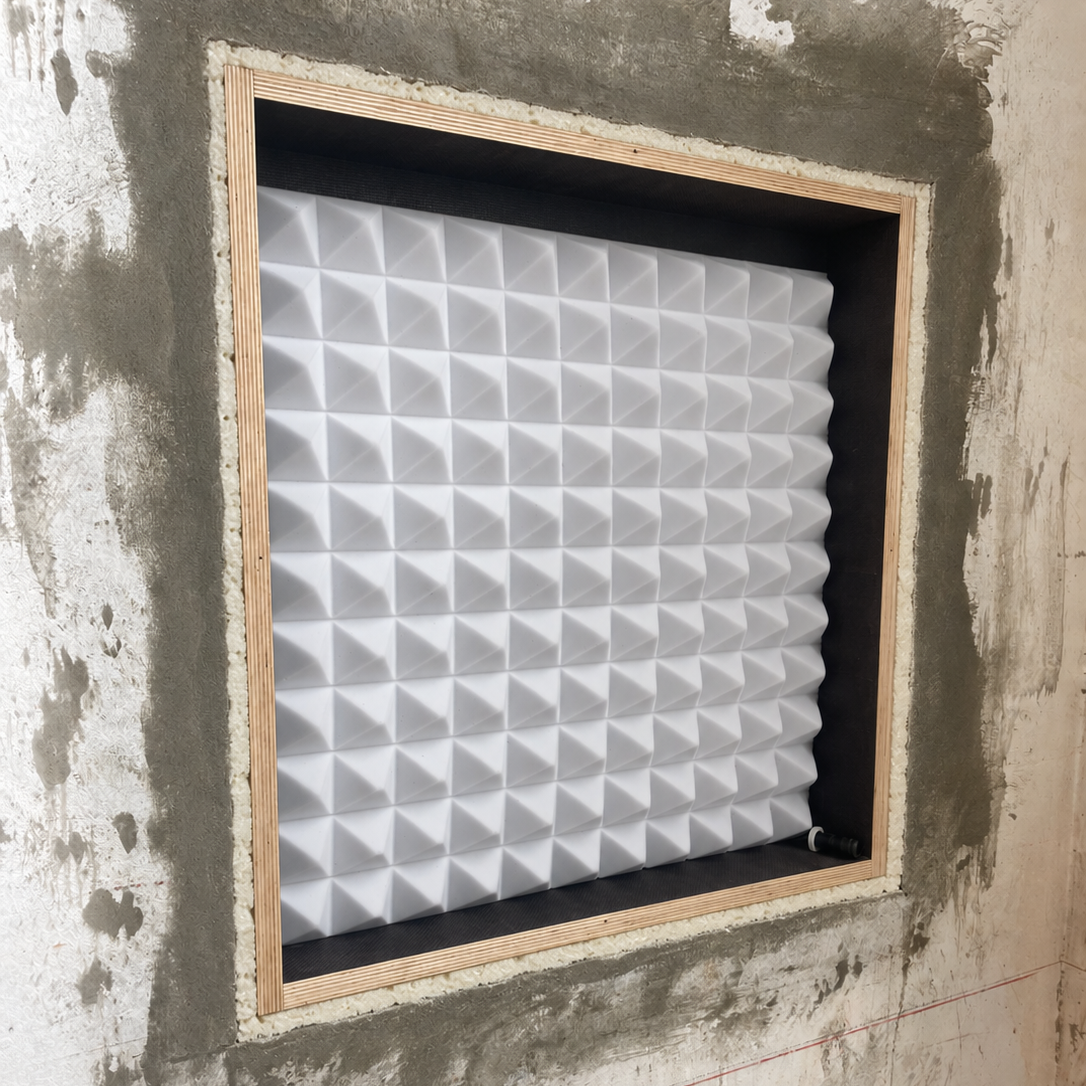
For masonry installation, place the installation frame (backbox) in a prepared recess and secure it around the perimeter with suitable construction foam. It is not cast into fresh concrete in this method. Prepare the cable gland, cable route and supplied Basotect insulation before positioning; the insulation must not exert pressure on the loudspeaker later.

PREPARE THE RECESS, ALIGN AND FILL WITH FOAM

  1. Prepare the recess. Leave an approximately 2 cm gap around the perimeter between the installation frame (backbox) and the masonry.
  2. Align using the blanking panel and battens. Attach the two supplied battens to the supplied blanking panel. Use this mounting aid to position the installation frame (backbox) centrally in the recess and align it to the intended installation plane.
  3. Fill the gap with expanding foam. Once aligned, fill the gap between the installation frame (backbox) and the recess with suitable construction foam, securing the alignment while it cures.
  4. Allow curing and add fixings if required. After the foam has fully cured, the installation frame (backbox) can optionally be secured to the masonry with additional wall plugs and screws. The blanking panel is replaced by the loudspeaker later.

The approximately 2 cm perimeter gap is between the installation frame (backbox) and the masonry.

The supplied blanking plate is 5 mm larger overall in both width and height than the associated housing format: for a 400 × 620 mm format, for example, it measures 405 × 625 mm. Removing it leaves a small joint for later installation and material tolerances. This differs from the approximately 2 cm foam gap in masonry and the approximately 5 mm joint to plasterboard.

Go to the shared loudspeaker installation steps

Solid wall: installation frame (backbox) aligned centrally using the blanking panel and both battens; approximately 2 cm gap for construction foam
Concrete / casting in

06CAST THE INSTALLATION FRAME (BACKBOX) INTO A CONCRETE CEILING

For an in-situ concrete ceiling, position the installation frame (backbox) on the formwork before concreting; the housing is then cast into the ceiling. Install the loudspeaker only after removing the formwork and blanking panel. This method does not use the foam-filled recess of masonry installation.

  1. Prepare the housing and cable route. Prepare the appropriate installation frame (backbox), cable gland with strain relief and cable route. Arrange openings and joints to prevent concrete entering the housing. The blanking panel protects the future loudspeaker opening.
  2. Align and secure to the formwork. Align the refitted blanking panel with the intended formwork surface and securely attach the housing to the formwork. Agree its position, installation height, reinforcement, required clearances and restraint during concreting with the responsible contractor.
  3. Plan permanent mechanical retention. A concrete ceiling requires secure long-term housing retention. A rear-mounted retaining plate extending beyond the housing outline can provide a starting point for additional mechanical interlock. Its size, material, connection to the housing and embedment in concrete must be specified with cerasonar and the responsible designer before concreting. No universally dimensioned or tested plate arrangement is specified here.
  4. Inspect after removing the formwork. Once sufficiently cured and released by the responsible contractor, remove the blanking panel. Inspect the housing, cables, interior and retention; remove loose debris.

DISTINGUISH THE BLANKING PANEL FROM THE REAR RETAINING PLATE

The front blanking panel closes the loudspeaker opening during building work and is removed later. Rear retention forms part of the permanent mechanical embedment. It does not replace attachment to the formwork during concreting.

PLAN THE FINISHED SURFACE LEVEL BEFORE CONCRETING

Agree the final surface level and blanking panel arrangement in advance. In concrete ceilings too, the combined filler thickness on the loudspeaker panel must not exceed 2 mm. The 5 mm joint to plasterboard applies to plasterboard installation, not casting into concrete.

The supplied blanking plate is 5 mm larger overall in both width and height than the associated housing format: for a 400 × 620 mm format, for example, it measures 405 × 625 mm. Removing it leaves a small joint for later installation and material tolerances. This differs from the approximately 2 cm foam gap in masonry and the approximately 5 mm joint to plasterboard.

Go to the shared loudspeaker installation steps

OPTIONAL ELASTIC SEPARATING LAYER

A suitable elastic separating layer between the installation frame (backbox) and concrete can reduce structure-borne sound transmission. Include the contact surfaces with the concrete, including the site-supplied securing plate. Specify the material, thickness and installation for the project and the loads during concrete pouring and later use. Avoid rigid sound bridges through fixings or cable entries.

CONCRETE INSTALLATION · SECTION BEFORE POURING CONCRETE INSTALLATION · SECTION BEFORE POURING123456781In-situ concrete ceiling2installation frame (backbox)3Blanking plate, 12.5 mm - later replaced bythe loudspeaker4Site-supplied securing plate5Optional elastic separating layer6Basotect pyramid foam7Formwork — remove after curing8Loudspeaker cable with OBO cable glandSchematic longitudinal section with proportions based on the installation frame (backbox) 4062;simplified pyramid spacing. The site-supplied securing plate is to be made and fixed by the in-situconcrete contractor. Specify its dimensions, connection and any elastic separating layer for the project.Include the securing plate when detailing the layer; avoid rigid sound bridges.
CONCRETE INSTALLATION · SECTION BEFORE POURING
Concrete: housing on the formwork before casting
WOOD & VENEER

07INSTALLATION IN WOOD AND VENEER SURFACES

The loudspeaker is inserted from the rear into a machined pocket; the visible wood or veneer surface remains intact. Use a suitably prepared cerasonar reference pro version without the standard primer, the matching pocket mount double-sided tape and the panel mount kit. Retention combines the adhesive interface with a rear bracket that is additionally screw-fixed and bonded.

Step by step: wood/veneer installation with or without an installation frame (backbox)
  1. CHECK THE LOUDSPEAKER BEFORE INSTALLATION

    Inspect the loudspeaker, terminals, exciters and rear technical components for transport or other damage. Before installation, carry out a short functional test at low volume with a suitable amplifier and protection configuration. Resolve any concerns before installation.

  2. MACHINE THE POCKET

    Machine the pocket to the model-specific installation drawing. Make it approximately 2–3 mm larger overall in both width and height than the actual loudspeaker panel, giving approximately 1–1.5 mm clearance per side. The loudspeaker must fit without tilting or strain. The remaining facing thickness and panel mount kit must suit the approved panel construction.

  3. CHECK FIT AND BONDING SURFACES

    Check the fit while the release liner is still attached. All bonding surfaces must be clean, dry and free from dust and grease. Prepare the surfaces according to the construction adhesive instructions.

  4. PREPARE THE FIXINGS

    Without an installation frame (backbox), the panel mount kit is secured directly to the rear of the wood panel later. With an installation frame (backbox), first screw-fix and additionally bond the panel mount kit to the installation frame (backbox). Prepare the cable entry. Select screws to suit the material and penetration depth; do not unintentionally pierce components.

  5. REMOVE THE RELEASE LINER

    Immediately before insertion, fully remove the release liner from the pocket mount double-sided tape fitted to the loudspeaker. Do not touch or contaminate the exposed adhesive.

  6. INSERT AND PRESS FIRMLY

    Align and carefully insert the loudspeaker, maintaining an even gap to the pocket edge. The pocket mount double-sided tape is a high-quality, fabric-reinforced acrylic double-sided tape. Press the loudspeaker firmly and evenly once on the clear areas of the panel. Do not press on exciters, terminals or other technical components. These must not be crushed or damaged.

  7. CONNECT THE LOUDSPEAKER

    Connect the loudspeaker cable with the amplifier switched off while the rear remains accessible. If using an installation frame (backbox), first pass the cable through its designated entry. Secure it against strain and rattling; do not trap it during fixing.

  8. SECURE THE REAR BRACKET

    Screw-fix and additionally bond the panel mount kit, or the preassembled unit with installation frame (backbox), to the rear of the wood panel. Use a suitable elastic construction adhesive, such as Würth Klebt + Dichtet. Match screw length to the material thickness at each fixing point: screw tips must not pierce the visible surface. Follow the adhesive instructions for application, holding and curing.

  9. CARRY OUT THE FINAL CHECK

    After sufficient curing, test operation again, listen for rattles and check cable retention. For operation, use a cerasonar cs-500dsp4 or cs-2000dsp4 with the correct Wood preset for the loudspeaker model.

WALLPAPER AND OTHER SPECIAL SURFACES

Thick or textured wallpaper can attenuate high frequencies. Have the specific material assessed before installation. A material sample and measurement may be required for an individual DSP adjustment.

KEEP LOUDSPEAKER SURFACES CLEAR

Do not hang or place pictures, mirrors, furniture or other objects directly in front of the integrated loudspeaker surface. Keep the surface clear for unobstructed sound radiation. Refer to the documented loudspeaker positions when furnishing the room or carrying out later renovations.

IMAGE PLACEHOLDER: Wood/veneer installation: approved rear milling and mechanical retention
Wood/veneer installation: approved rear milling and mechanical retention
WOOD / VENEER · POCKET INSTALLATION
WOOD / VENEER · POCKET INSTALLATIONExample: 4062 reference pro in an approved 19 mm panel construction. Pocket dimensions and remaining visible layer to the model drawing; detail enlarged for clarity.WOOD / VENEER · POCKET INSTALLATIONVERTICAL SECTION · INSTALLATION PRINCIPLE1234567824567DETAIL · BONDING AND RETENTION4062 reference pro · REAR VIEWVisible face / roomRear installation spaceCOMPONENTS AND NOTES1. Wood/veneer panel with a rear-machined pocket2. Remaining visible layer to the approved panelconstruction3. 4062 reference pro4. pocket mount double-sided tape5. panel mount kit6. Screws and additional construction adhesive7. Mounting clearance: about 2–3 mm overall inwidth and height8. Loudspeaker cable to amplifier / AV rackExample: 4062 reference pro in an approved 19 mm panel construction. Pocket dimensions and remaining visiblelayer to the model drawing; detail enlarged for clarity.Remove the release liner before insertion. Press firmly once on clear panel areas; never on exciters, terminalsor technical components.
WOOD / VENEER · POCKET INSTALLATION
WOOD / VENEER · WITH installation frame (backbox)
WOOD / VENEER · WITH installation frame (backbox)Example: 4062 reference pro in an approved 19 mm panel construction. Pocket dimensions and remaining visible layer to the model drawing; detail enlarged for clarity.WOOD / VENEER · WITH installation frame (backbox)VERTICAL SECTION · INSTALLATION PRINCIPLE1234567891024567DETAIL · BONDING AND RETENTION4062 reference pro · REAR VIEWVisible face / roomRear installation spaceCOMPONENTS AND NOTES1. Wood/veneer panel with a rear-machined pocket2. Remaining visible layer to the approved panelconstruction3. 4062 reference pro4. pocket mount double-sided tape5. panel mount kit6. Screws and additional construction adhesive7. Mounting clearance: about 2–3 mm overall inwidth and height8. Loudspeaker cable to amplifier / AV rack9. installation frame (backbox)10. Basotect pyramid foam, bonded to the rear onlyExample: 4062 reference pro in an approved 19 mm panel construction. Pocket dimensions and remaining visiblelayer to the model drawing; detail enlarged for clarity.Remove the release liner before insertion. Press firmly once on clear panel areas; never on exciters, terminalsor technical components.
WOOD / VENEER · WITH installation frame (backbox)
WIRING & CONFIGURATION

08SET UP WIRING AND AMPLIFICATION

CONNECTIONS AND CHANNEL ASSIGNMENT

Make reliable, permanent loudspeaker cable connections with the amplifier switched off and check polarity. Clearly assign each amplifier output to its connected loudspeaker or subwoofer. Wiring, output mode and settings must follow the loudspeaker and amplifier documentation.

PRESET AND OPERATING PROTECTION

Before the first functional check, set up the protection specified for the model. Depending on the product, protection is provided by a suitable DSP amplifier with an approved preset, an appropriate cerasonar protection unit or cerasonar protection unit pro, or integrated protection circuitry. Consult the relevant product documentation for the binding requirements.

With DSP amplification, the loudspeaker model, operating mode, channel assignment, preset, filters and protection functions must match. Check this assignment for every channel before playback.

FACTORY-PRECONFIGURED AMPLIFIERS

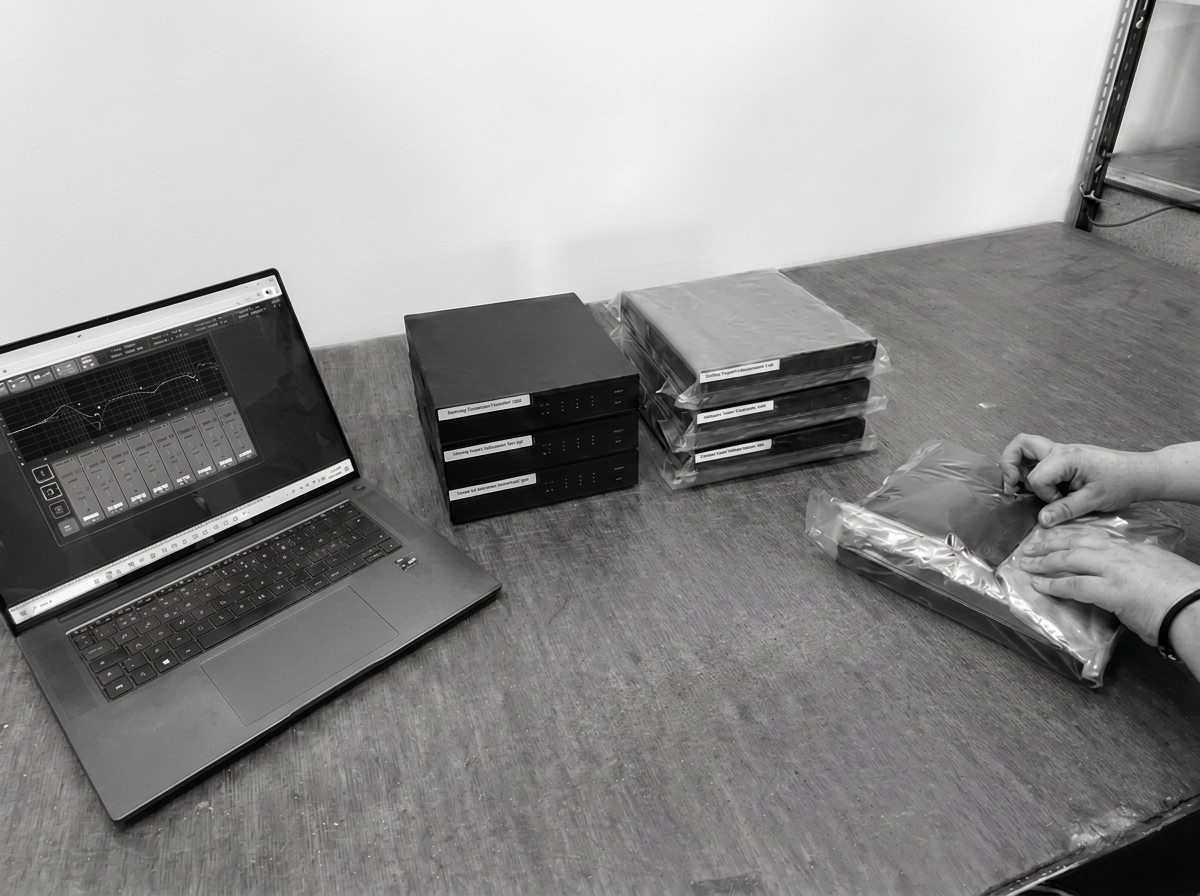
All amplifiers supplied by cerasonar can be delivered preconfigured on request. The appropriate presets are already loaded. Small labels on the amplifier identify which preset is assigned to each loudspeaker or output channel. During installation, compare these labels with the actual wiring and record the channel assignment in the project documentation.

FOR THE INSTALLATION CHECK

The model-specific DSP preset with loudspeaker protection is designed for music and home cinema playback. Sustained sine tones place a different load on the loudspeaker from these playback signals.

For the installation check, therefore, use short test tones or tone bursts with pauses at a moderate volume. This is usually sufficient to locate vibration and rattling noises. Start quietly and increase the level only as far as needed to locate the source. Keep the preset and the protection configuration specified for the model active throughout the check.

Preconfigured amplifier with channel and preset labels; appropriate cerasonar protection unit / cerasonar protection unit pro for the specified configuration
INSERT LOUDSPEAKERS

09INSERT AND SCREW-FIX LOUDSPEAKERS AND SUBWOOFERS

Choose the installation sequence for your model. Prepare the substrate first; the fixing method differs between the groups below. Wood/veneer follows its own sequence in step 07.

cerasonar reference / reference pro / ultimate / 4062 architect v2 / 4080 sub / 6280 sub / 62200 sub

This shared sequence applies to cerasonar reference, reference pro, ultimate, 4062 architect v2 and cerasonar 4080 sub, 6280 sub and 62200 sub. The structure and, where used, the installation frame (backbox) must already be prepared and secured.

The cerasonar 4062 architect v2 also follows this shared installation sequence. Its shallow depth is particularly useful for shallow wall linings, for example an older wall lined with thin battens and plasterboard. Check the actual available depth, including connections and any installation frame (backbox), against the model drawing.

INSULATION WITHOUT PRESSURE ON THE LOUDSPEAKER

Arrange the insulation so that it exerts no pressure on the loudspeaker. It must not protrude too far or be compressed or trapped by the loudspeaker during insertion. This applies with and without an installation frame (backbox).

Before tightening the screws, the loudspeaker must fit easily, without force, into the prepared opening or installation frame (backbox) and align with its intended mounting position. If resistance is felt, correct the insulation or installation conditions. Do not use the fixing screws to pull the loudspeaker into position against the insulation.

ELECTRICAL CONNECTION

Make reliable loudspeaker cable connections and check polarity before finally securing the panel. Keep the amplifier switched off while making connections. Route and secure cables separately so they neither touch the panel nor rest on the plasterboard lining. Detailed guidance on channel assignment, presets and operating protection follows under Set up wiring and amplification.

FIXING AND PERIMETER JOINT

Use suitable plasterboard screws with large heads to secure all loudspeaker and subwoofer panels. The screws must be appropriate for the timber or metal supporting structure. The panel must sit fully against every specified support surface, without gaps.

For timber supporting structures, use partially threaded screws with an unthreaded shank section. Fully threaded screws are unsuitable here: they can raise material on the timber surface as they are driven in, preventing full contact and flush installation of the panel.

Recess the screw heads into the panel so that their top faces sit 1–2 mm below the panel surface. Use every specified fixing point and ensure even, full contact with the support surfaces.

For wood screws in the installation frame (backbox), limit actual penetration into the 18 mm phenolic-faced plywood to 15–16 mm maximum; do not pierce it. Specified through-bolt connections in a mounting kit follow that kit’s instructions. This differs from recessing screw heads 1–2 mm into the loudspeaker panel.

Fixing detail: large screw head 1–2 mm below the panel surface and an approximately 5 mm perimeter joint
cerasonar fit

cerasonar 1520 fit, 1520 fit – 100V and 2525 fit use a separate installation method with a template, supplied screws and temporary installation strip. The opening, board construction and accessories must suit the model.

  1. CHECK THE PREPARED OPENING

    The opening and four 4 mm fixing holes must follow the matching template. With an installation frame (backbox), the matching CNC-machined installation plate must be fitted.

  2. CONNECT AND INSERT

    With the amplifier switched off, connect the previously tested loudspeaker with correct polarity. Insert without pressure from insulation; do not trap cables. Choose the intended mono or single-stereo connection for 2525 fit; use the appropriate 100V configuration for 1520 fit – 100V.

  3. USE THE SUPPLIED SCREWS

    Hold the loudspeaker using the temporary holding strap and carefully tighten the four supplied screws. Use the fixing arrangement specified for the model.

  4. TEST AND REMOVE THE INSTALLATION STRIP

    Check the fixing and operation as described in step 10. Remove the temporary holding strap only after the check has passed.

  5. FINISH THE SURFACE

    Continue with step 11 for joint tape, suitable filler and surface finishing. The combined filler thickness on the loudspeaker panel must not exceed 2 mm.

cerasonar 2525 fit

The following section shows cerasonar 2525 fit in a metal-framed ceiling with one layer of 12.5 mm plasterboard. Other fit models use their own templates and dimensions.

cerasonar 2525 fit · INSTALLATION IN A METAL-FRAMED CEILING cerasonar 2525 fit · INSTALLATION IN A METAL-FRAMED CEILINGSCHEMATIC SECTION · SINGLE-LAYER PLASTERBOARD CEILING123456789≈ 55 mm255 mm cut-outROOM SIDEDETAIL · FIXING AND SURFACE FINISHREAR VIEW · LOUDSPEAKER AND FIXING TABS45671011≈ 12 mm12.5mmFoam body cropped in the detail; plastic tab simplified. Surfaceafter removal of the installation strip.57AMono connection with bridging cable and central cable tie. A:connect the speaker cable from the amplifier to the lower-leftconnector module. Observe polarity. Drill positions follow thetemplate.1Concrete slab / load-bearing structural ceiling2Metal ceiling frame hangers3Metal ceiling frame, e.g. CD profile4Single layer of plasterboard · 12.5 mm5Four factory-fitted plastic tabs · approximately 12 mmthick6Four supplied screws: through plasterboard into the tabs7cerasonar 2525 fit with rear foam body · front flush8Loudspeaker cable routed in the ceiling void to the AV /network cabinet9Extensive cavity insulation · without pressure on theloudspeaker10Joint reinforcement at the plasterboard transition11Total filler / surface finish on the panel: maximum 2 mmINSTALLATIONAPlan the installation between profiles, preferably in the centre of the plasterboard sheet. Check the loudspeaker for damageand test its function before installation.BUse the template to prepare the 255 × 255 mm cut-out and four Ø 4 mm holes. Prepare the edges as described in theinstallation instructions.CConnect the cable with correct polarity and carefully insert the loudspeaker. Position the tabs behind the plasterboard;insulation must not press against the panel or components.DFix from the room side using the four supplied screws and carefully align flush. Test again, then remove the installation strip.EReinforce the joint and apply suitable flexible filler. Limit the total finish on the panel to 2 mm; allow it to dry completelybefore use.To prevent rattling, we recommend additionally bonding or damping connections in the metal ceiling frame. Secure cables so they do not rest onplasterboard or the loudspeaker. Tabs and components are shown in projection in the main section; detail geometry is simplified. Follow thetemplate and current installation instructions.
cerasonar 2525 fit · INSTALLATION IN A METAL-FRAMED CEILING
cerasonar architect sub

The cerasonar architect sub is installed as a separate enclosure behind the wall or ceiling lining. A flexible duct connects the enclosure to the visible sound outlet. It is not screw-fixed into the lining and plastered over like the flat sub panels. The bracket and adapter details below describe the illustrated installation variant. Check fixing points and accessories against the current drawing for the supplied model.

INSTALLATION IN FURNITURE
The cerasonar architect sub can also be concealed within furniture, such as cupboards. A flexible duct directs sound to an outlet outside the furniture. Its vibration-optimised design keeps vibration transmission to the furniture low.

  1. PLAN THE ENCLOSURE AND OUTLET POSITIONS

    Plan enclosure dimensions, installation depth and duct routing from the current model drawing. The duct must reach the intended outlet without kinking. Leave room for connections and fixings.

  2. SECURE THE BRACKET AND ENCLOSURE

    For wall/ceiling installation: Detach the metal bracket from the enclosure according to the model instructions. Transfer the six fixing points to the load-bearing wall or ceiling and secure using fixings suitable for the substrate and load. Reattach the enclosure with the four specified M6 fixings, retaining its isolation. We recommend thread locking and suitable additional retention for overhead installation. Additional screws must not pierce the enclosure wall.

  3. CONNECT AND INSTALL THE OUTLET

    With the amplifier switched off, connect the previously tested subwoofer with correct polarity. Make the opening to the current outlet drawing. For plasterboard construction: Position the wooden adapter behind the plasterboard and fix through the plasterboard from the front into the adapter; then install the plastic outlet adapter using its four specified screws.

  4. SECURE BOTH ENDS OF THE DUCT

    Connect the duct to the enclosure and outlet. Secure both ends with the specified duct clamps. Avoid kinks, tension and contact points that could rattle.

  5. TEST BEFORE CLOSING

    Check enclosure fixings, duct connections and operation following step 10 while everything remains accessible. Use the correct model protection configuration and start at low level.

  6. FINISH THE OUTLET EDGE ONLY

    For plaster-finished outlet surfaces: Finish the outlet transition with suitable joint tape and filler. Keep the opening clear; do not plaster over the enclosure. Protect the outlet during painting. Fit the grille after sufficient drying. The general panel-filling sequence in step 11 does not apply here.

architect sub · WALL INSTALLATION
Primary sources: https://cerasonar.com/collections/architect/products/architect-sub ; instructions-EN-cerasonar-architect-sub-v2.pdf?v=1712313886 ; architect-sub-v2.png?v=1661514787 ; flanch-80mm-v2.png?v=1661515468 ; manufacturer photos IMG_2725-schwingungsdampfer.png and IMG_2701-schlauch-gitter.png, plus airoutlet-grille-architect-sub.jpg. Diagram uses published CAD proportions: enclosure 280 by 355 mm, 203-mm profile, mounting plate 341 by 416 mm; dimensions are not a new general installation specification. Nominal datasheet dimensions are rounded differently. The wall, cavity, duct path and fixings are schematic. Side dampers, angles and terminals are projected. No invented internal loudspeaker contour. 12.5-mm single-layer plasterboard, rear wooden adapter and front plastic insert follow the manufacturer assembly.architect sub · WALL INSTALLATION cerasonar architect sub · WALL INSTALLATIONOWN ENCLOSURE · VIBRATION-ISOLATED BRACKETLoad-bearing wall with lining · example with 12.5 mm plasterboardVERTICAL SECTION · ENCLOSURE AND BRACKET IN PROJECTIONto amplifier / AV cabinet1234566789101112ROOM SIDEEnclosure, side brackets, terminals and frame in projection. Specify wall depth and frame on site to suit the installation.BRACKET · INSTALLATION VIEWFour M6 fixings at enclosureSOUND OUTLET · VERTICAL DETAILTimber adapter behind · plastic adapter through plasterboard134First fix the bracket to the load-bearing wall. Then mount theenclosure via the four factory-fitted vibration dampers.7869Cut-out 95 mm12,5 mmOUTLET · FIXING FROM FRONT8911Grille removed for installation. Timber adapter behind theplasterboard is dashed; the four black screws fix the plastic adapter.COMPONENTS AND NOTES1Load-bearing wall · suitable site-supplied anchors2Model-specific metal bracket · fixed independently ofplasterboard3Four factory-fitted vibration dampers and four M6 fixings4architect sub5Flexible hose · lay without kinks or tension6Two hose clamps · one at enclosure and one at soundoutlet7Plasterboard · 12.5 mm, separately fixed to the frame8Timber adapter behind plasterboard · screw from frontthrough sheet9Plastic outlet adapter · separately fixed with four blackscrews10Route loudspeaker cable separately to amplifier / AVcabinet11Fill and reinforce the outlet edge · keep opening clear12Keep the unused hose connection closedINSTALLATION NOTESCheck for damage and correct operation before installation. Plan enclosure and sound outlet positions together. Fix the bracket to suit theload-bearing substrate, then secure the enclosure with the four M6 nuts; apply securing as specified in the installation instructions.Preserve isolation: the enclosure must not directly touch wall, boarding or frame. Route hose and cables without tension and secure separately.architect sub has its own enclosure; no additional installation frame (backbox) is required.Example with one layer of 12.5 mm plasterboard: cut-out 95 × 95 mm, adapter according to the supplied model drawing. Fix timber adapterfirst, then plastic adapter separately. Reinforce the outlet edge properly; protect the opening during painting and insert grille after drying.Test again with the matching cerasonar DSP preset before closing and finishing. Principle drawing of architect sub v2; check enclosuredimensions, bracket, screws and adapter against the supplied model's drawing.
architect sub · WALL INSTALLATION
architect sub · CEILING INSTALLATION
Primary sources: https://cerasonar.com/collections/architect/products/architect-sub ; instructions-EN-cerasonar-architect-sub-v2.pdf?v=1712313886 ; architect-sub-v2_480x480.png?v=1661514787 ; flanch-80mm-v2_480x480.png?v=1661515468. Product and adapter geometry reused unchanged from the reviewed German wall drawing, rotated into ceiling position. Wall drawing was constructed as native vectors from manufacturer CAD proportions, not imported original CAD paths. Closed enclosure, side angles, mounts, ports, terminal and retention attachment are projected. Structural anchors, suspension, ceiling cavity and retention hardware are schematic. Four factory M6 mounts, six structural bracket anchors, separate framework anchors and a separate overhead retention anchor. The slack chain must not form a rigid vibration bypass. Single 12.5-mm plasterboard and rear wooden outlet support follow the supplied adapter assembly.architect sub · CEILING INSTALLATION cerasonar architect sub · CEILING INSTALLATIONOWN ENCLOSURE · FIXING TO LOAD-BEARING STRUCTURAL CEILINGSuspended metal-framed ceiling · example with one layer of 12.5 mm plasterboardVERTICAL SECTION · ENCLOSURE AND BRACKET IN PROJECTIONto amplifier / AV cabinet12345667891011121314ROOM SIDEEnclosure, side brackets, terminals and securing point in projection. Specify structural-ceiling anchors, suspension and ceiling height on site tosuit the installation.BRACKET · VIEW FROM BELOWSix structural-ceiling anchors · four M6 fixingsSOUND OUTLET · VERTICAL DETAILTimber adapter above · grille on room side134First fix the bracket to the load-bearing structural ceiling. Mount theenclosure via the four factory-fitted vibration dampers. The fixings areshown in projection.7869Cut-out 95 mm12,5 mmOUTLET · FIXING FROM BELOW8911Grille removed for installation. Timber adapter above theplasterboard is dashed; the four black screws fix the plastic adapter.COMPONENTS AND NOTES1Load-bearing structural ceiling · suitable site-supplied anchors2Model-specific metal bracket · independent of suspendedceiling3Four factory-fitted vibration dampers and four M6 fixings4architect sub5Flexible hose · lay without kinks or tension6Two hose clamps · one at enclosure and one at soundoutlet7Plasterboard · 12.5 mm, separately fixed to the frame8Timber adapter above plasterboard · screw from belowthrough the sheet9Plastic outlet adapter · separately fixed with four blackscrews10Route loudspeaker cable separately to amplifier / AVcabinet11Fill and reinforce the outlet edge · keep opening clear12Keep the unused hose connection closed13Additional site-supplied securing for overhead installationrecommended14Metal frame · its own suspension and plasterboardscrewsINSTALLATION NOTESCheck for damage and correct operation before installation. Plan enclosure, sound outlet and hose route together. Fix the bracket with sixsuitable structural-ceiling anchors, then secure the enclosure with the four M6 nuts. Apply thread locking according to the installationinstructions.Preserve isolation: enclosure and vibration dampers must not touch the frame or boarding. Maintain at least 5 mm between enclosure andplasterboard. Route hose and cables without tension, secure separately and do not rest them on plasterboard or metal profiles.For overhead installation, we recommend an additional suitable securing device, e.g. a chain with its own structural-ceiling anchor. It shouldremain slack during normal operation. Specify a suitable enclosure attachment point for the model; screws must not penetrate the enclosurewall.Example: one layer of 12.5 mm plasterboard, cut-out 95 × 95 mm. Fix the timber adapter above, then screw the plastic adapter separately. Testagain with the matching cerasonar DSP preset before closing. Reinforce the outlet edge, protect the opening during painting; insert the grilleafter drying.Principle drawing of architect sub v2; check enclosure dimensions, bracket, fixings and adapter against the supplied model's drawing.Enclosure has its own structural-ceiling fixing; no additional installation frame (backbox) is required.
architect sub · CEILING INSTALLATION
architect sub · FURNITURE INSTALLATION
Primary sources: https://cerasonar.com/collections/architect/products/architect-sub ; instructions-EN-cerasonar-architect-sub-v2.pdf?v=1712313886 ; architect-sub-v2_480x480.png?v=1661514787 ; flanch-80mm-v2_480x480.png?v=1661515468. Reviewed wall product contours are reused by 90-degree rotation, not mirrored. Manufacturer CAD proportions were drawn as native vectors in the wall source; these are not original imported CAD paths. Furniture, shelf supports, fixings, door access and duct routing are site-designed schematic examples. Standard supplied outlet adapter is intended for 12.5-mm plasterboard; a 12.5-mm fixed furniture blende is shown as a site adaptation requiring material-specific coordination. No generic adaptation for arbitrary furniture thickness is implied. No plaster or mesh instruction is applied to the furniture surface.architect sub · FURNITURE INSTALLATION cerasonar architect sub · FURNITURE INSTALLATIONLOAD-BEARING SHELF · SOUND OUTLET OUTSIDE FURNITUREFixed outlet fascia · accessible enclosure · example of site adaptationVERTICAL SIDE SECTION · ENCLOSURE AND BRACKET IN PROJECTIONto amplifier / AV cabinet123456678910111214ROOM SIDEEnclosure, side brackets and terminals in projection. Access through the front furniture door outside the section plane. Plan furniture, loadcapacity, hose passage and adapter adjustment on site.BRACKET · VIEW FROM ABOVESix shelf fixings · four M6 connectionsSOUND OUTLET · FASCIA DETAILExample: site-supplied 12.5 mm fascia234Fix the bracket to the load-bearing shelf. Secure the enclosure via thefour vibration dampers. Choose suitable site-supplied screws; theymust not penetrate through the shelf.7869Cut-out 95 mm12,5 mmOUTLET · FIXING FROM OUTSIDE8911Grille removed for installation. Timber adapter behind the fixed fasciais dashed; four separate black screws fix the plastic adapter.ACCESS · FRONT FURNITURE DOOR13Open the door for installation and maintenance. Keep access toenclosure, M6 connections, cable and hose clamps clear.COMPONENTS AND NOTES1Furniture carcass · load-bearing, separately fixed shelf2Model-specific metal bracket · separately fixed to shelf3Four factory-fitted vibration dampers and four M6 fixings4architect sub5Flexible hose · route outside without kinks or tension6Two hose clamps · one at enclosure and one at soundoutlet7Fixed outlet fascia · 12.5 mm in the site-supplied exampleshown8Timber adapter behind fascia · screw from outsidethrough fascia9Plastic outlet adapter · separately fixed with four blackscrews10Separate loudspeaker cable to amplifier ·protected carcass cable opening11Keep the sound outlet clear towards the room12Keep the unused hose connection closed13Access through front furniture door · allow installationand maintenance14Clear shelf opening · do not pinch the hoseINSTALLATION NOTESCheck for damage and correct operation before installation. Plan enclosure, hose and external sound outlet positions together. Specify theshelf's load capacity, its fixings and the bracket for the supplied model. Secure the enclosure with the four M6 nuts; apply thread lockingaccording to the installation instructions.The vibration-optimised design reduces excitation of the furniture. Preserve isolation: do not place the enclosure directly against carcass, fasciaor other furniture parts. Route hose and cables without tension, secure separately and keep clear of loose furniture parts. Do not add rigidconnections to the enclosure.The standard adapter is designed for one layer of 12.5 mm plasterboard. The fixed 12.5 mm furniture fascia shown is a site adaptation. Otherthicknesses require a matching adapter solution. Agree cut-out, fixings and final surface detail using the model drawing and with the furnituremaker.Secure both hose ends with the supplied clamps; keep the second enclosure connection closed. Leave the shelf passage sufficiently clear.Keep the furniture door and connections accessible and the outlet clear towards the room. Furniture dimensions and openings shown are notuniversal routing dimensions.Test again with the matching cerasonar DSP preset before closing. Check furniture fittings and loose parts for rattles. Principle drawing ofarchitect sub v2; check model dimensions and fixings against the supplied model's drawing. No additional installation frame (backbox) isrequired.
architect sub · FURNITURE INSTALLATION
FINDING FAULTS WITH TONE BURSTS

10TEST DURING CONSTRUCTION AND CORRECT NOISE SOURCES

Test as soon as loudspeakers and subwoofers are fully secured and the relevant connections remain accessible. Noise sources can then be corrected before closing or plastering the construction.

  1. Check the protection configuration. Keep the protection specified for the model active. With DSP amplification, check the model, operating mode, channel assignment and preset. Test within the playback frequency range intended for the model.
  2. Start at a low level. Check loudspeakers, subwoofers and channels individually first. Vibration and rattling noises can usually be detected at a moderate volume. A short, quiet sweep within the suitable frequency range can reveal troublesome points. Do not increase low-frequency levels simply because they sound quieter.
  3. Narrow down the troublesome frequency. Note the frequency and stop the sweep. Then excite that point with short tone bursts with smooth fade-in and fade-out, at a low level. For targeted investigation, use a pattern with 10% tone time: one part tone and nine parts silence. Repeat only as long as needed to locate the source, then stop.
  4. Switch off the signal and correct the construction. Depending on the cause, add suitable screws, elastic adhesive or reinforcement. Follow the component and building system requirements, including curing times.
  5. Check the affected point again. Use the same limited test level to confirm that the noise has been resolved. Repeat testing after further fittings are installed.
SET UP TONE BURSTS IN REW

TONE BURSTS WITH 10% TONE TIME

TONE: 10 %SILENCE: 90 %

Example at 100 Hz: 0.1 s tone + 0.9 s silence = 1 s total period.

In REW: Generator → Tones → Tone Burst. The settings below illustrate the timing pattern for targeted frequency investigation.

Frequency100 Hz, as a timing example only
WindowHann
Burst length10 cycles (Cycles)
Total period100 cycles (Cycles)
RepetitionEnable Repeat the burst; stop after checking
Level between burstsOff level: 0

The total period runs from the beginning of one burst to the beginning of the next. With 10 cycles of tone and a 100-cycle total period, 90 cycles remain silent. Changing frequency changes the times in seconds; tone time remains 10%.

This example shows the timing pattern for targeted fault finding. Use short tone bursts at a moderate volume within the frequency range appropriate to the model. Pauses reduce average heating at the same burst level; keep the required protection configuration active during the check.

REW · Signal Generator

Repeat the check after fitting lights, access panels and other components while the relevant connections remain accessible. Record troublesome frequencies, remedial work and the results of repeat checks.

LOCATE NOISES AND FUNCTIONAL DIFFERENCES

The table lists possible causes and suitable checks. Identify the cause in the context of the individual installation.

ObservationPossible causesCheck
Rattling at a particular frequency Metal contacts, loose plasterboard, cables or services resting on the lining, light springs or other fittings. Record the frequency and locate the source with short tone bursts. Stop the signal, correct the affected connection or component and check again.
No sound Wiring, channel assignment, muting or the amplifier signal routing. Stop the signal. Check connections, channel assignment, input signal and the preset configuration appropriate to the model.
One channel is significantly quieter Different channel levels, presets, connections or input signals. Compare using the same signal at a low level. Check channel levels, preset assignment and wiring.
Sound changes after filling Filler that is still damp, an excessively thick coat, changed DSP settings or changed room conditions. Allow complete drying. Compare the signal and settings with the previous check; review the material application and workmanship. Resolve persistent differences before further finishing.

CHECK BEFORE APPLYING FILLER

  • reference / reference pro / ultimate / 4062 architect v2 / 4080 sub / 6280 sub / 62200 sub: Full support, flush alignment and screw heads 1–2 mm below the panel surface checked. In plasterboard installations, the approximately 5 mm perimeter joint to the plasterboard has been checked.
  • Insulation arranged without pressure; the panel fitted easily before the screws were tightened.
  • Mounting area and cavity free of debris; any installation frame (backbox) used is also clean. Cables and services secured separately without resting on the plasterboard lining.
  • Functional check completed with the specified protection; vibration and rattling noises resolved, including after fitting lights and other components.
  • Ardex P4 primer undamaged; suitable filler, joint tape and thin surface build-up agreed with the finishing trade.
IMAGE PLACEHOLDER: Locating a fault in the accessible supporting structure and correcting it
Locating a fault in the accessible supporting structure and correcting it
PRIMER & FILLER

11KEEP THE SURFACE FINISH AS THIN AS POSSIBLE

The following primer, joint and filler instructions apply to plaster-finished loudspeaker and subwoofer panels. Specially prepared wood/veneer versions follow their own installation method; they are supplied without the standard primer and are not filled according to these steps.

The 5 mm installation joint and 1–2 mm screw-head recess apply to reference, reference pro, ultimate, 4062 architect v2 and the listed flat sub models. For fit, use the fixing arrangement from its template. For architect sub, finish only the outlet edge; do not apply a full-surface filler coat to the enclosure.

PRESERVE THE FACTORY-APPLIED ARDEX P4 PRIMER

Invisible cerasonar loudspeakers and subwoofers intended for plaster/plasterboard installation are primed with Ardex P4 at the factory. No additional primer is therefore required on the panel. Do not sand off the factory primer or remove it by any other means. Prepare adjacent absorbent plasterboard surfaces and cut edges in accordance with the chosen finishing system.

JOINT FILLING, JOINT TAPE AND THIN FILLER COATS

Use a suitable polymer-modified filler supplied as a powder for mixing, such as Ardex 828 or Knauf Uniflott. Mix and apply it in accordance with the manufacturer’s instructions. Begin finishing after the installation and functional checks have been completed successfully.

  1. reference / reference pro / ultimate / 4062 architect v2 / 4080 sub / 6280 sub / 62200 sub: Fill the installation joint completely. In plasterboard installations, carefully fill the approximately 5 mm perimeter joint between panel and plasterboard with suitable filler, without leaving voids.
  2. Reinforce the joint. For a standard plaster/plasterboard installation, embed approximately 5 cm wide fibreglass joint tape in the filler over the transition between panel and plasterboard. Follow the materials’ application instructions for embedding the tape and subsequent work. Full-face mesh reinforcement is not generally required for this installation.
  3. Coordinate the individual stages. Observe the materials’ application, drying and curing requirements. Proceed to the next stage only once the required conditions have been reached.
  4. Finish with a thin coat. Apply only as much material as needed for a proper surface finish. Feather the transitions into the surrounding surface without building unnecessary thickness on the panel.

MAXIMUM 2 MM COMBINED FILLER THICKNESS

The combined thickness of all filler coats on the panel must not exceed 2 mm. This absolute maximum applies to all invisible cerasonar loudspeakers and subwoofers; it is not a target thickness. A thinner finish preserves more high-frequency energy and usable sound pressure output.

SANDING AND PAINTING

After sufficient drying, work carefully on the filler surface by hand using a suitable fine abrasive. Preserve the panel and its factory-applied Ardex P4 primer. Before painting, prepare the filler surface as specified by the chosen paint system; any primer required on the finished filler surface is distinct from the existing panel primer.

The finished surface can be painted multiple times. Apply paint in accordance with the chosen paint system and allow sufficient drying between coats. Avoid unnecessary material build-up; agree special or heavily textured finishes with cerasonar in advance. The 2 mm limit applies to the combined filler thickness on the panel.

SUBSEQUENT REDECORATION

The surface can also be repainted during subsequent redecoration. Refer to the documented loudspeaker positions during later work. Before adding more filler, review the existing build-up: even after redecoration, the combined filler thickness on the panel must not exceed 2 mm. Avoid damage to the panel or its factory primer when removing wallpaper or making repairs. Repeat the functional check after sufficient drying.

IMAGE PLACEHOLDER: Loudspeaker surface factory-primed with Ardex P4
Loudspeaker surface factory-primed with Ardex P4
IMAGE PLACEHOLDER: Fibreglass joint tape at the junction and a thin filler application
Fibreglass joint tape at the junction and a thin filler application
FINAL CHECK

12CHECK AND DOCUMENT THE INSTALLATION

Record installation positions with measurements and photographs while the structure remains visible. Document loudspeaker models, amplifier, wiring configuration, protection configuration, preset version, operating mode and channel assignment. Add troublesome frequencies, remedial work and the results of repeat checks.

HANDOVER TO THE PLASTERBOARD AND DECORATING TRADES

Agree the following application requirements with the finishing trade before work begins and record them in the site documentation:

The following primer, joint and filler instructions apply to plaster-finished loudspeaker and subwoofer panels. Specially prepared wood/veneer versions follow their own installation method; they are supplied without the standard primer and are not filled according to these steps.

The 5 mm installation joint and 1–2 mm screw-head recess apply to reference, reference pro, ultimate, 4062 architect v2 and the listed flat sub models. For fit, use the fixing arrangement from its template. For architect sub, finish only the outlet edge; do not apply a full-surface filler coat to the enclosure.

  • Installation and functional checks before filling are complete; vibration and rattling noises have been resolved.
  • The factory-applied Ardex P4 primer is preserved and must not be sanded off or removed.
  • Use a suitable polymer-modified powder filler for mixing, such as Ardex 828 or Knauf Uniflott; fill the perimeter joint completely and apply approximately 5 cm wide fibreglass joint tape over the transition.
  • Keep the finish on the panel as thin as possible; the combined thickness of all filler coats must not exceed 2 mm.
  • Observe the application, drying and curing requirements of the materials used.

FINAL FUNCTIONAL AND MUSIC CHECK

After sufficient drying and curing, check each channel individually and the complete system with music at the intended listening levels within the operating limits. Keep the appropriate protection configuration in place. Listen for remaining noise sources associated with lights, access panels and other fittings. Compare the result after finishing with the earlier check and document the installation and materials used. Resolve unexplained differences before handing the system over to the user.

IMAGE PLACEHOLDER: Photograph installation positions and construction details and record them in the handover report
Photograph installation positions and construction details and record them in the handover report

FINAL CHECKLIST

  • Mounting, fixings, insulation and cable routes checked.
  • Connections, polarity, channel assignment, presets and protection configuration checked.
  • Functional check before filling completed; rattles resolved.
  • Surface materials and coat thickness checked; surface completely dry.
  • Final listening check completed; installation positions and system settings documented.

WARRANTY AND PROJECT REGISTRATION

The applicable conditions and the form for registering the installed system are available here:

Warranty conditions & project registration

INSTALLATION QUESTIONS

Are metal supporting structures suitable in principle?

Yes. A stable, properly constructed metal supporting structure is suitable for cerasonar installations. To help prevent subsequent rattling, we recommend additionally treating metal contact points with a suitable flexible adhesive and sealant and checking lights and other fittings. This is particularly beneficial with powerful models, high listening levels and strong bass reproduction. For particularly demanding systems, we favour the timber construction described in this guide. The required mechanical fixings and the construction system’s requirements remain essential.

Are bursts with 10% tone time sufficient for fault-finding?

They provide a practical way to repeatedly excite an already identified troublesome frequency and narrow down its source. Their effectiveness depends on the component and its resonance. The final music check at the intended permissible listening levels remains necessary.

May insulation compress the loudspeaker during insertion?

No. Arrange the material so that it exerts no pressure on the loudspeaker. The loudspeaker must insert easily without force. If there is resistance, correct the construction rather than pulling the loudspeaker against the insulation with its screws.

Must 2 mm of filler be applied?

No. 2 mm is the absolute maximum. A properly finished application that is as thin as possible preserves more high-frequency energy and usable sound pressure output. Loudspeakers and subwoofers intended for plaster/plasterboard installation receive Ardex P4 at the factory. Specially prepared wood/veneer versions are supplied without the standard primer.

INSTRUCTIONS AND DATASHEETS

The general English PDFs supplement this guide. Model-specific dimensions, installation depths, mounting configurations and connection details are available on the respective product pages. Follow the current model information and the application requirements described here.